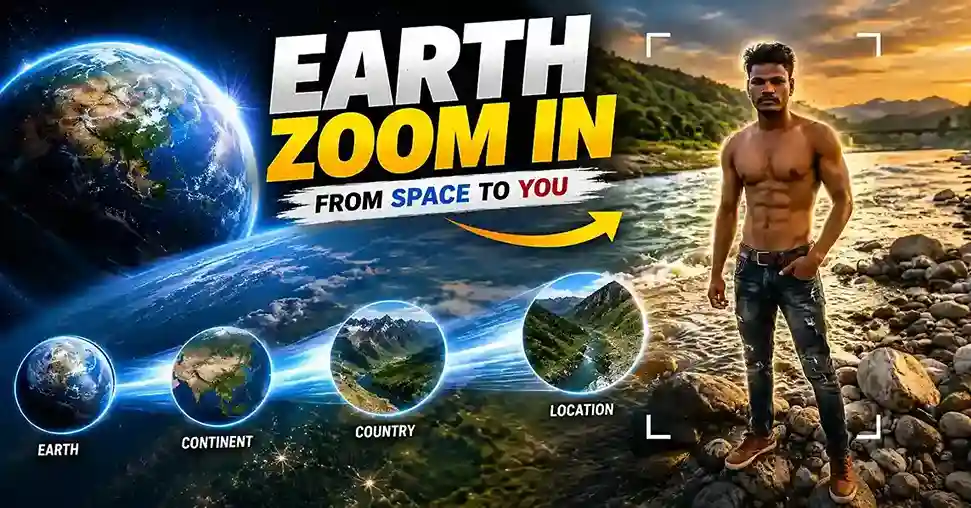
Aajkal Instagram Reels, YouTube Shorts aur TikTok par ek video effect bahut zyada viral ho raha hai, camera pehle space se Earth dikhata hai, phir dhire-dhire atmosphere se guzarta hai, aur aakhir mein directly ek insaan ke paas aa jaata hai. Yehi hai Earth Zoom Effect, aur ise popularize karne wala style hai Biruli in Earth Zoom.
Agar aap general Biruli Trending Prompt style (photo-based prompts, cinematic portraits, double-exposure) dhoond rahe hain, humara Biruli Trending Prompt guide wahi cover karta hai. Ye page specifically Earth Zoom video effect par focus karta hai, ek alag aur technically different process.
Biruli In Video Editing: Yeh Photo Prompt Se Kaise Alag Hai
Static AI photo aur AI video mein ek bada technical farak hai: video mein AI ko time ke saath consistency maintain karni padti hai, sirf ek frame nahi. Isliye video prompt mein 3 extra cheezein zaroori hain jo photo prompt mein nahi hoti:
Identity-lock instructions: Video ke har frame mein face consistent rehna chahiye, isliye “Identity Lock: Maximum”, “No face drift” jaisi repeated emphasis zaroori hoti hai, jo photo prompts mein itni critical nahi hoti.
Micro-motion details: Breathing, blinking, hair movement, jaise chhote naturalistic movements, inke bina video “frozen photo jaisa” lagta hai, zinda nahi.
Camera movement description: Sirf composition nahi, camera kaise move karega (circle, zoom, pan), ye explicitly describe karna padta hai.
Base Photo Generate Karein
Sabse pehle ek high-quality reference photo generate karni hoti hai jisse video banega., niche maine image banane ke liye prompt diya hai, view prompt par click karo, prompt copy karo aur photo genetare karo.

Biruli In Motion: Static Photo Ko “Zinda” Kaise Dikhayein
Ye woh part hai jahan zyadatar log galti karte hain, sirf “make it move” likh dete hain, jo AI ko kuch specific nahi batata. Convincing motion ke liye in micro-movements ko explicitly list karna zaroori hai:
- Subtle breathing movement
- Natural blinking aur realistic eye movement
- Slight head movement, gentle body balance shifts
- Clothing aur hair movement from wind/breeze
Jitni specific ye list hogi, utna hi result “AI-generated” ke bajaye “filmed” jaisa lagega.
Biruli in Earth Zoom Out Effect
Note: Niche diye gaye prompt ko gemini Ai me dono image upload karne ke baad prompt paste karke send button par click kare.
Biruli in Earth Zoom In Effect
Biruli In Viral Video: Reels Ke Liye Optimize Kaise Karein
Video generate hone ke baad, viral hone ke chances badhane ke liye:
- Pehle 1-2 second strong rakho: Agar video zoom-out se start ho raha hai, human subject turant dikhna chahiye, tab hi viewer scroll nahi karega
- 9:16 vertical ratio strictly follow karo: Horizontal ya square video Reels algorithm mein kam push hota hai
- Loop-friendly ending try karo: Agar video ka last frame first frame se visually connect ho jaaye, rewatch rate badhta hai
- Caption mein trend ka naam mention karo: “Earth Zoom Effect” jaisa searchable term caption mein rakhna discovery help karta hai
Biruli In AI Video: Gemini Mein Step-By-Step
- gemini.google.com open karo
- Left sidebar mein “Video” option par click karo
- Chat box ke neeche right side “thinking level” ko “standard” se “expanded” par set karo, better quality result ke liye
- Mobile par: chat box ke “+” icon ke bagal wale icon se “Create Video” select karo
- Step 1 mein generate ki hui photo upload karo
- Earth Zoom-Out ya Earth Zoom-In prompt paste karo, send karo
- Agar face match theek na ho, do images upload karo, ek generated wali aur ek apni clear original photo
Troubleshooting tip: Agar face drift ho raha hai (identity change ho rahi hai video ke beech mein), negative instructions ko aur explicit karo: “do not replace the face”, “do not change skin tone” jaisi lines repeat karo prompt mein.
Behatar Result Ke Liye Tips
- Base photo jitni sharp aur well-lit hogi, video utna hi consistent aayega
- Camera movement ko “smooth, continuous, no cuts” jaisa explicitly describe karo, warna AI jerky transitions bana sakta hai
- Identity-lock phrases (Maximum Reference Strength, Maximum Character Consistency) hamesha include karo jab bhi face accuracy critical ho
Prompt refine karne ke liye humare Prompt Optimizer aur Negative Prompt Generator tools directly kaam aate hain. Photo-based Biruli style prompts (rain, motorcycle, devotional themes) ke liye humara Biruli Trending Prompt guide dekhein, aur lighting/camera terms samajhne ke liye Gemini 4K glossary kaam aayega.
Summary
- Earth Zoom video prompts photo prompts se technically alag hain, inmein micro-motion, camera movement, aur identity-lock, teeno explicitly describe karne padte hain
- Zoom-out aur zoom-in dono versions same core structure follow karte hain, sirf sequence reverse hoti hai
- Viral hone ke liye pehle 1-2 second aur 9:16 ratio sabse zyada matter karte hain
- General Biruli photo-style prompts ke liye alag guide use karo, is page ka focus specifically video/motion hai
Agli baar Earth Zoom video banate waqt, upar diya micro-motion checklist zaroor use karo, sirf “make it move” likhne se AI ko kuch specific pata nahi chalta.
Conclusion
Toh dosto, ab aap samajh gaye honge ki Biruli in Earth Zoom Effect Video Editing Prompt for Gemini kya hai aur yeh kyun itna popular ho raha hai.
Yeh trend sirf ek video effect nahi hai, yeh ek tarika hai apne aap ko social media pe stand out karne ka. Aur sabse acchi baat yeh hai ki ab yeh effect banana bilkul mushkil nahi raha. Google Gemini jaise powerful AI tools ki wajah se, koi bhi creator, beginner se lekar advanced tak, yeh stunning cinematic video bana sakta hai.
Aaj hi try karein! Jo prompt humne share kiya hai use copy karein, Gemini mein paste karein, aur dekhein kaise aapki photo ek cinematic masterpiece video me ban jaati hai.
