Zara sochiye, aapke paas ek purani si photo hai. Anna aur Thangachi dono school uniform mein khade hain, chehra thoda blur, lighting bhi khaas nahi. Lekin woh moment real tha. Dil se nikla hua tha.
Ab imagine karein wahi photo ek cinematic Tamil movie poster ban jaaye. Golden hour ki warm roshni. Silk saree aur traditional veshti. Peeche ek mandir ka gopuram. Aankhon mein ek sachchi muskan. Ekdum jaise kisi bade director ne shoot kiya ho.
Yahi magic hai Anna Thangachi AI Image Prompt Ideas ka.
AI image generation itna powerful ho gaya hai ki ek sahi prompt aapki ek aam photo ko ek unforgettable artwork mein badal sakta hai. Aur jab baat ho bhai-behen ke us anmol rishte ki, jo Tamil culture mein “Anna” (bada bhai) aur “Thangachi” (chhoti behen) ke roop mein maana jaata hai, toh result sirf ek image nahi, ek emotion ban jaata hai.
Is complete guide mein hum aapko denge ready-to-use, copy-paste prompts, bilkul unique aur fresh, Platform-wise guide, ChatGPT, Gemini, ke liye alag steps, Apna khud ka prompt likhne ka formula, Common mistakes jo beginners karte hain.
Toh chaliye shuru karte hain, apni Anna Thangachi ki yaad ko AI se immortal banate hain!
Tamil mein “Anna” matlab hota hai bada bhai aur “Thangachi” matlab hoti hai chhoti behen. Yeh ek bahut hi emotional aur respected rishta hai, Tamil cinema, gaano, aur rozmarra ki zindagi mein iska ek alag hi sthan hai.
Anna Thangachi AI Prompt ek detailed written instruction hoti hai jo aap kisi bhi AI image generator ko dete hain. Yeh instruction AI ko batati hai ki:
Kaun hain (bhai-behen ka pose, umar, expression)
Kya pehna hai (traditional outfit, jewellery, accessories)
Background kya hai (village, temple, studio, rainy street)
Lighting kaisi hai (golden hour, cinematic, soft diffused)
Mood aur color tone (warm amber, moody blue, festive vibrant)
Seedha likha jaaye toh: Aap jitna zyada detail denge, utna hi stunning result milega.
Yeh trend ab sirf Tamil users tak seema nahi raha, Hindi, Telugu, Malayalam aur pure-India audience mein bhi yeh viral ho raha hai kyunki bhai-behen ka rishta toh desh bhar mein ek jaisa hi hota hai.
Anna Thangachi AI Image Prompt Ideas, Copy-Paste
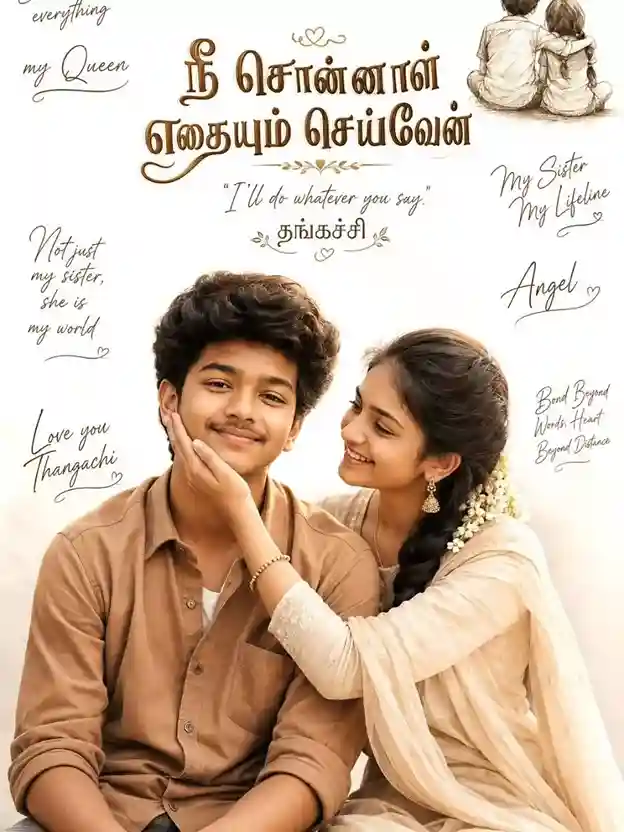
Create a heartwarming cinematic sibling poster featuring a South Indian teenage brother and elder sister in a soft beige aesthetic theme. The brother is sitting calmly with stylish fluffy hair, wearing a light brown shirt, realistic skin tone, detailed facial features, and a confident soft smile. The sister sits beside him in a traditional light cream salwar or saree-style outfit with jasmine flowers in her braided hair, lovingly touching his cheek and smiling emotionally. Clean white background with a small sketch illustration of a brother and sister sitting together from the back in the top corner. Elegant Tamil calligraphy mixed with handwritten English typography. Main center text: “நீ சொன்னால் எதையும் செய்வேன்” and “I’ll Do Whatever You Say” with “தங்கச்சி” below. Add emotional handwritten quotes around the poster such as “She Is My Everything, My Queen”, “My Sister My Lifeline, Angel”, “Not Just My Sister, She Is My World”, “Love You Thangachi”, and “Bond Beyond Words, Heart”. Soft cinematic lighting, premium poster design, emotional sibling bond, ultra-realistic details, high-quality typography, aesthetic composition, masterpiece quality, 8K resolution.
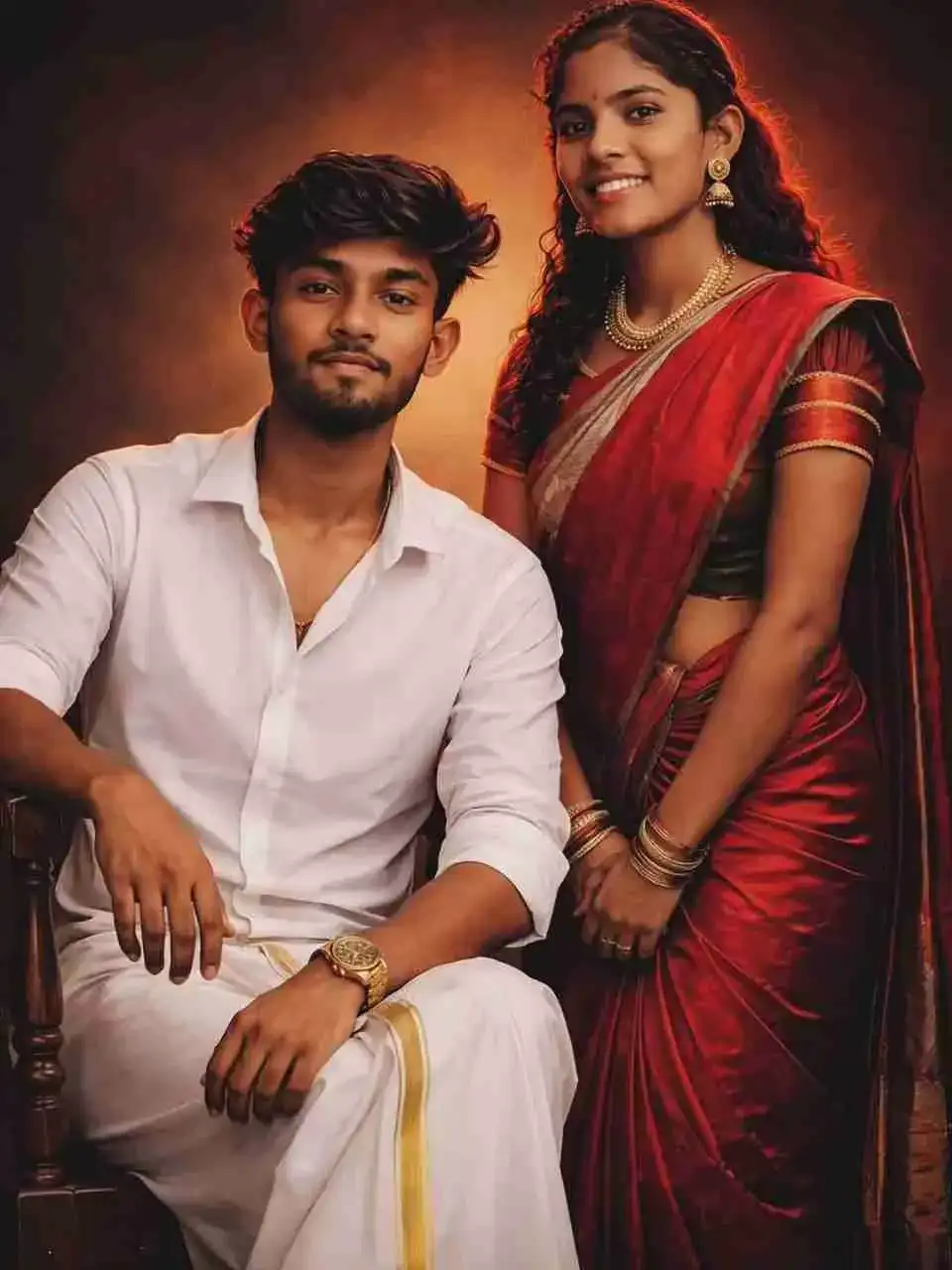
A highly stylized cinematic studio portrait of a young South Indian couple based on the provided reference images, featuring the man seated confidently on a classic wooden chair in a crisp white shirt and traditional veshti with gold accessories, while the woman stands gracefully beside him in a red pleated saree with a green blouse, maintaining 100% facial identity accuracy, realistic skin tones, elegant traditional aesthetics, a bold vintage maroon-orange gradient studio backdrop, professional lighting, ultra-realistic details, luxury portrait photography, symmetrical composition, and masterpiece-quality 8K resolution.
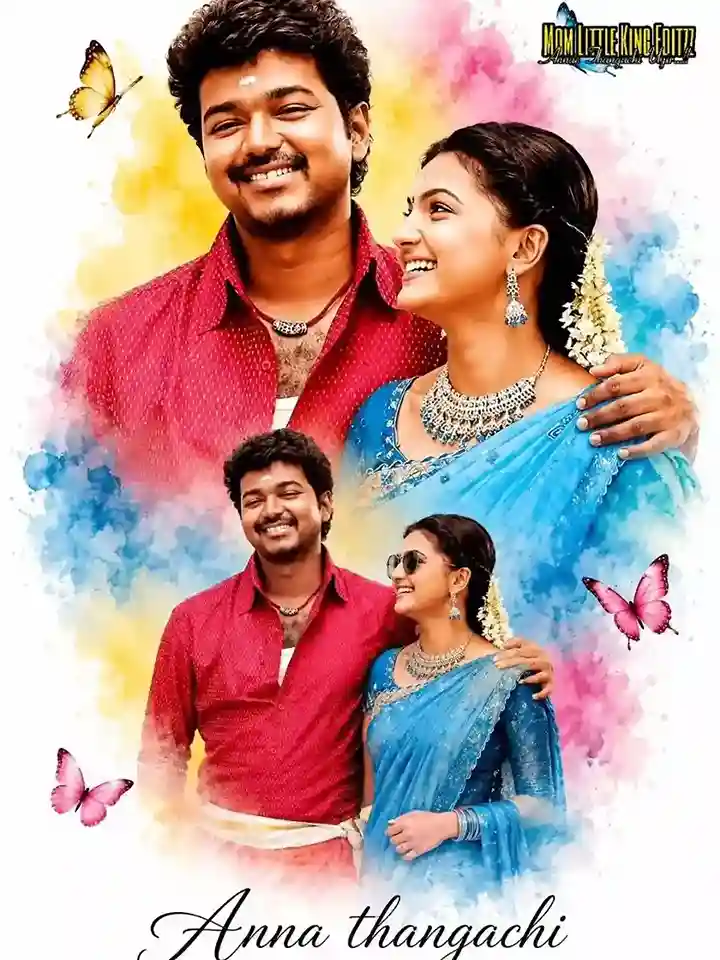
A beautiful Indian girl with a long braid, wearing a vibrant sky blue saree and a dark teal blouse. The image is a double exposure creative edit on a clean white background. The top half shows a close-up portrait with a warm smile, and the bottom half shows her in a stylish pose wearing sunglasses. Surrounded by soft watercolor splashes in shades of yellow, blue, and pink, with delicate butterflies floating around. At the bottom, “Anna Thangachi, mom Little King Editzz” is written in elegant black cursive calligraphy.
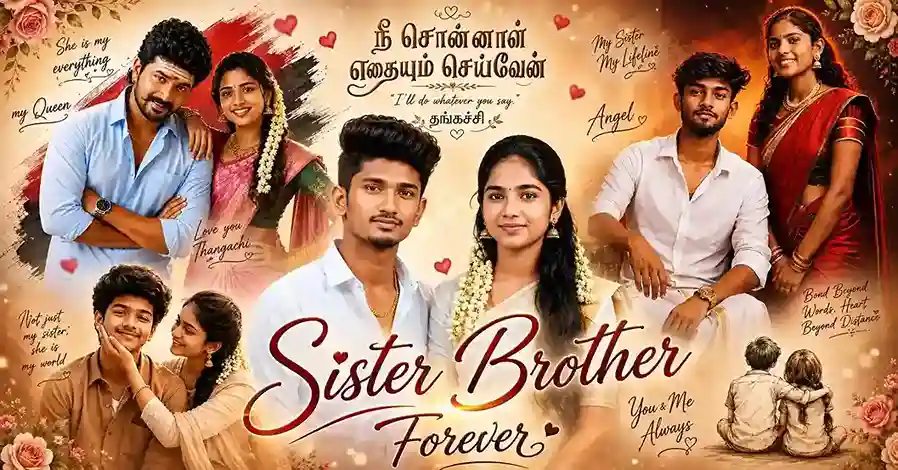
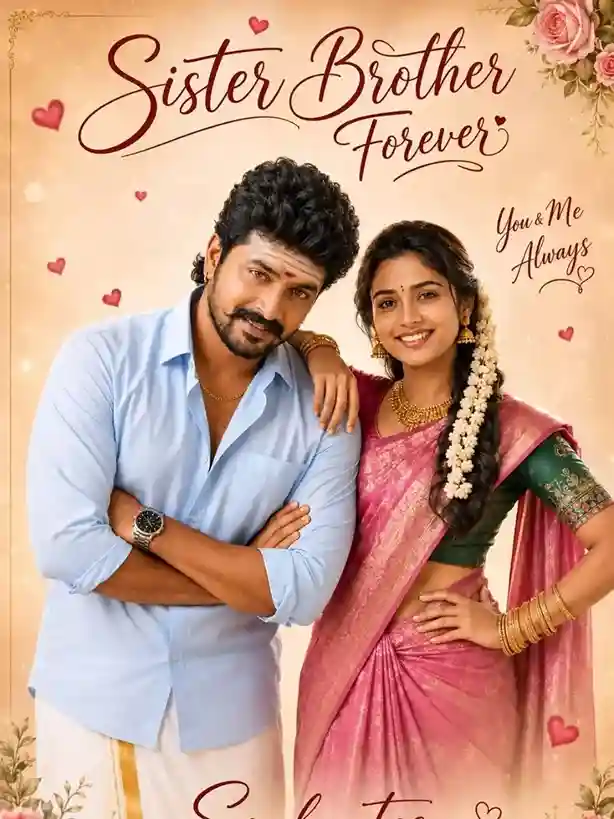
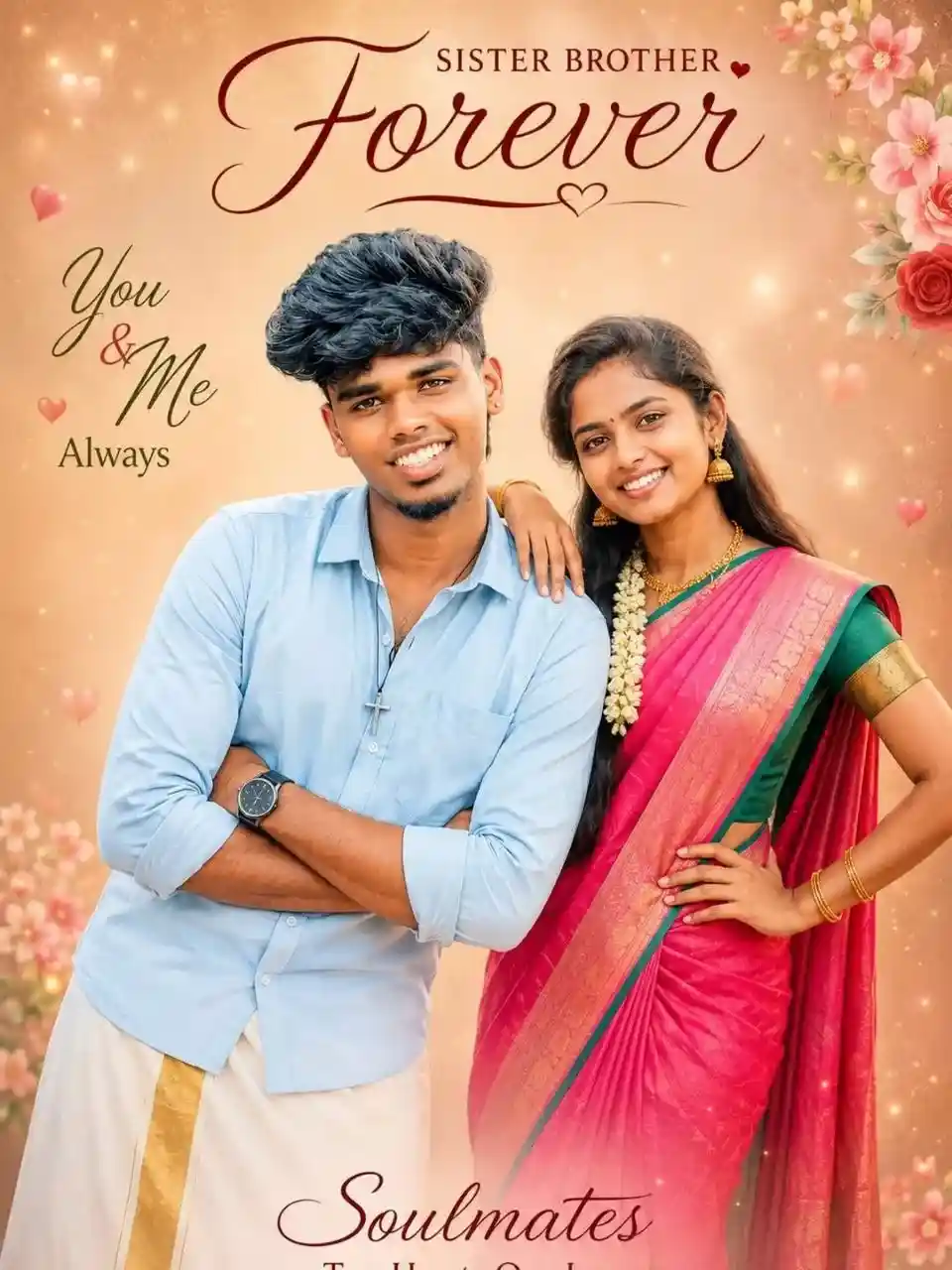
A high-quality romantic-style poster of a South Indian brother and sister standing close together, smiling warmly at the camera, the man wearing a light pastel blue shirt and traditional white veshti with gold accessories, the woman wearing a vibrant pink saree with a green blouse, gold jewelry and jasmine flowers in her hair, soft studio lighting, warm glow, pastel beige background with sparkles and dreamy bokeh, floating hearts and floral accents, elegant handwritten typography saying “Brother Sister Forever”, “You & Me Always”, and “Soulmates • Two Hearts • One Love • Endless Memories”, ultra-detailed, cinematic, soft focus, realistic skin texture, symmetrical composition, premium poster design, masterpiece quality, 8K resolution.
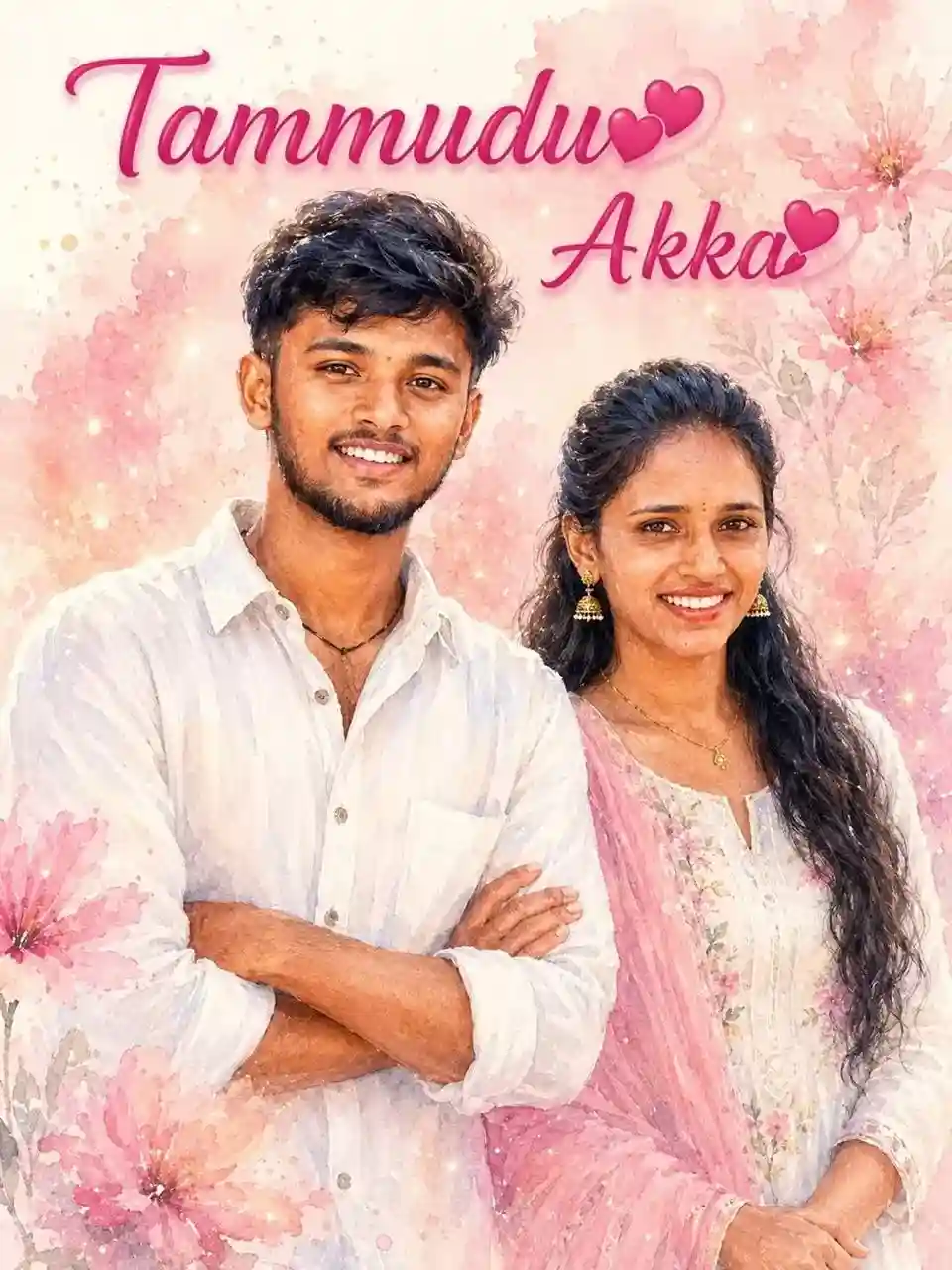
Create a soft dreamy watercolor-style digital portrait of a young Indian brother and sister standing together, smiling warmly at the camera, the boy having stylish fluffy black hair, smooth brown skin, a tiny black bindi, a loose white linen shirt and black thread necklace, the girl wearing a white floral dress with a light pastel pink dupatta, soft wavy black hair and traditional jhumka earrings, pastel pink watercolor floral background with blossoms, splashes and feminine textures, glowing sparkles, dreamy lighting, stylish pink typography saying “Tammudu 🤍 Akka 🤍”, ultra-soft watercolor painting style, romantic pastel aesthetic, realistic facial features, smooth skin tones, cinematic lighting, Instagram poster design, high detail, 4K resolution, masterpiece quality.
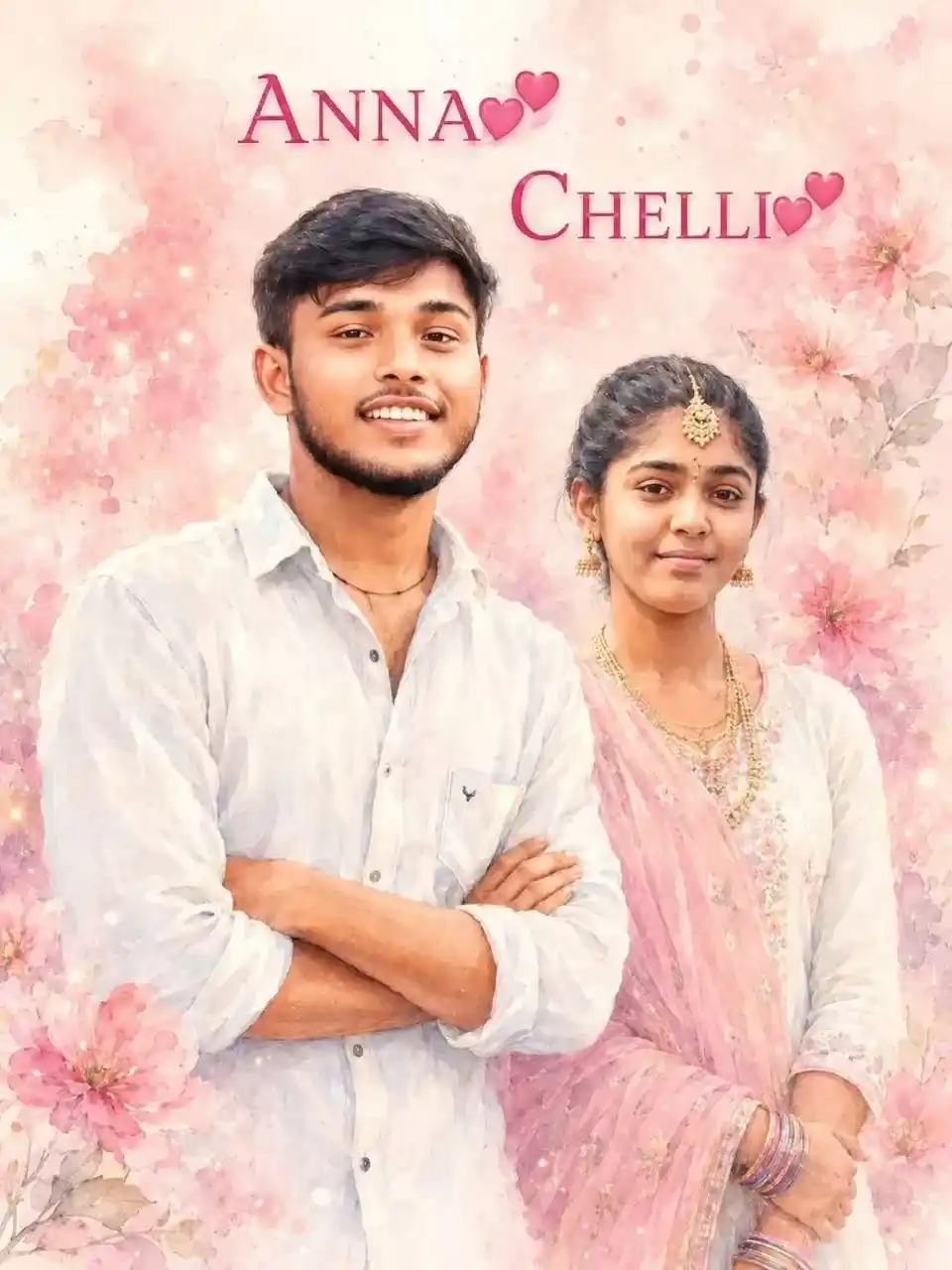
Create a soft dreamy watercolor-style digital portrait of a young Indian brother and sister standing together, smiling warmly at the camera, the boy having stylish fluffy black hair, smooth brown skin, a tiny black bindi, a loose white linen shirt and black thread necklace, the girl wearing a white floral dress with a light pastel pink dupatta, long wavy black hair, traditional jhumka earrings and a sweet smile, pastel pink watercolor floral background with blossoms, splashes and feminine textures, glowing sparkles, dreamy lighting, stylish pink typography saying “ANNA 🤍 CHELLI 🤍”, ultra-soft watercolor painting style, romantic pastel aesthetic, realistic facial features, smooth skin tones, cinematic lighting, Instagram poster design, high detail, 4K resolution, masterpiece quality.
A high-quality romantic-style poster of a South Indian brother and sister standing close together, smiling warmly at the camera, the man wearing a light pastel blue shirt with rolled sleeves, a traditional white veshti with a golden border, a wristwatch and a thin gold chain, standing with folded arms in a relaxed pose, the woman wearing a vibrant pink saree with a contrasting green blouse, traditional gold jewelry and jasmine flowers in her hair, soft studio lighting, warm glow, smooth skin tones, clean pastel beige background with subtle sparkles and dreamy bokeh effects, delicate floating heart elements and floral accents, elegant handwritten typography saying “Brother Sister Forever”, “You & Me Always”, and “Soulmates • Two Hearts • One Love • Endless Memories”, ultra-detailed, cinematic, soft focus, warm tones, realistic skin texture, symmetrical composition, professional photography, masterpiece quality, 8K resolution.
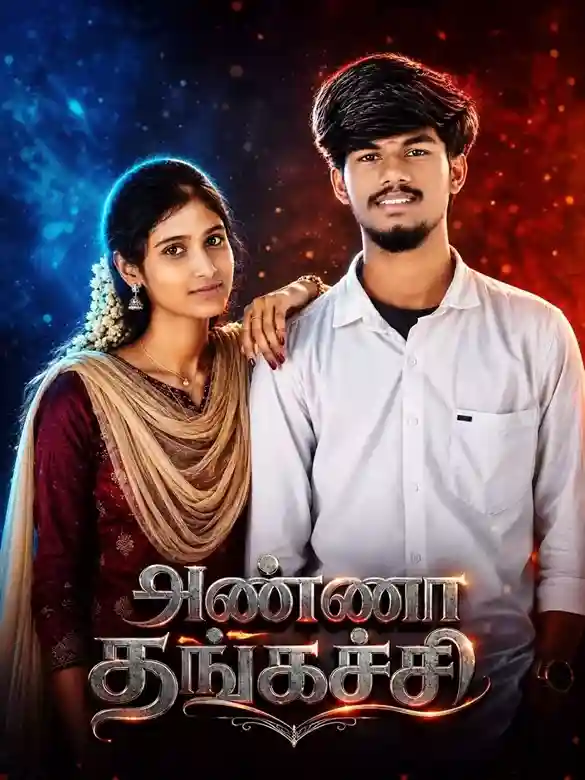
Ultra-realistic cinematic portrait of a South Indian brother and sister, the boy with stylish black hair and a confident expression, the girl wearing a traditional maroon ethnic outfit with a soft beige dupatta, jasmine flowers in long black hair and jhumka earrings, dramatic dual-tone lighting with vibrant blue light from the left and fiery red-orange light from the right, dark textured studio background with glowing particles and soft bokeh, ultra-detailed facial features, realistic skin texture, sharp focus, shallow depth of field, professional color grading, high-end cinematic retouching, bold metallic Tamil typography with silver chrome texture and glowing orange highlights, emotional Anna Thangachi theme, centered composition, cinematic movie-poster aesthetic, HDR, masterpiece quality, 4K resolution.
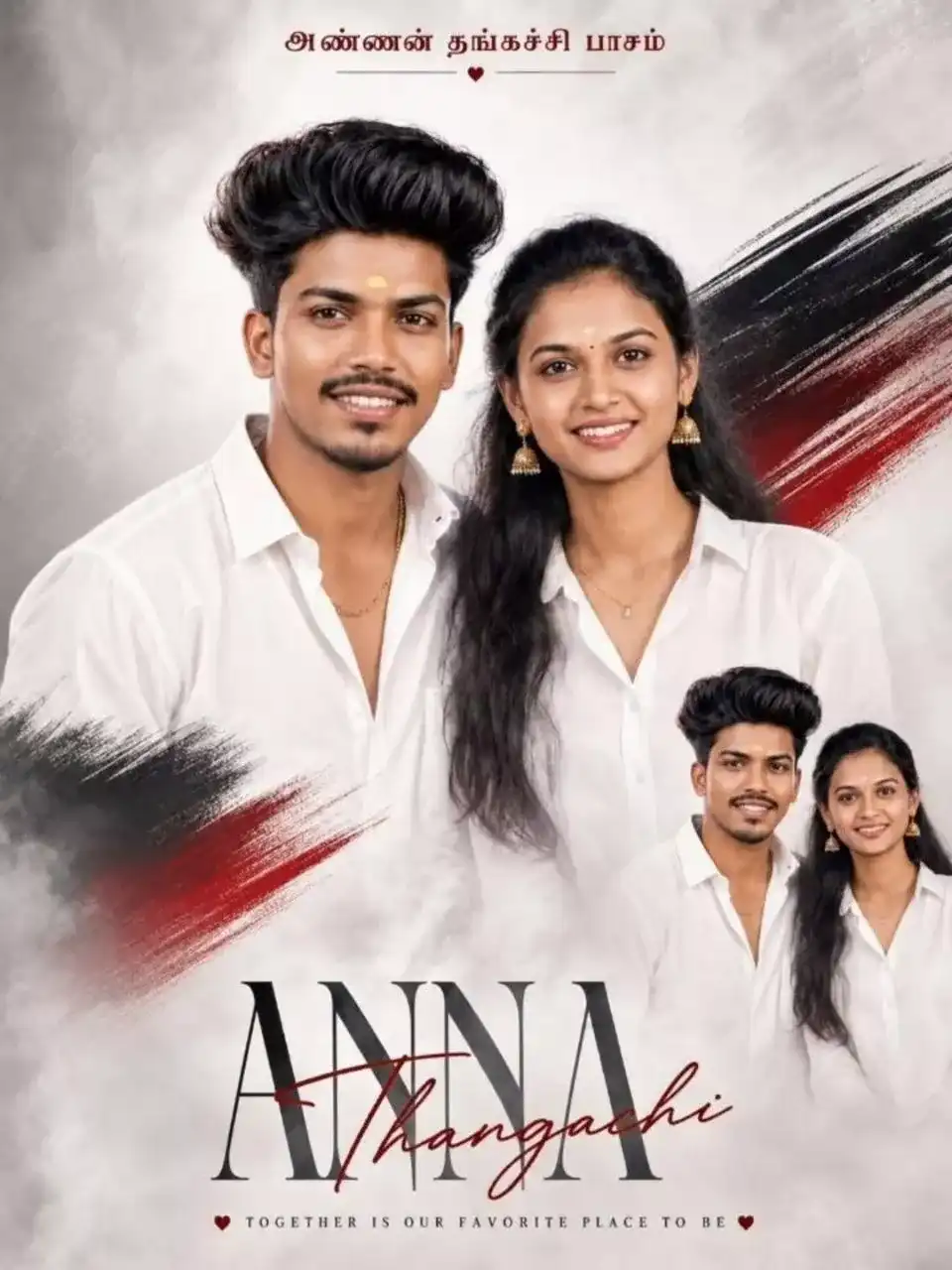
Create a dreamy ultra-realistic South Indian sibling portrait poster featuring a young brother and sister standing close together with warm joyful smiles and emotional bonding. The brother has stylish voluminous curly black hair, a sharp jawline, a trimmed beard, medium brown skin tone, and wears a clean white casual shirt with an open collar. The sister stands beside him with a calm elegant expression, tied-back natural black hair, a tiny white bindi, small gold earrings, a subtle chain necklace, and a matching white shirt for a coordinated aesthetic. Design the composition in a modern cinematic poster style using soft grey smoky background textures blended with bold black and deep red artistic brush strokes. Add a smaller duplicate portrait of the siblings in the bottom-right corner for a layered premium poster effect. Use soft studio lighting, smooth skin detailing, realistic facial textures, natural shadows, and high-end color grading. Include the Tamil text “அண்ணன் தங்கச்சி பாசம்” prominently in the design. Typography should include the text: “Anna_thangachi_143_” Ultra-realistic, cinematic poster design, emotional sibling bond, premium composition, realistic skin texture, sharp focus, professional photography, HDR quality, masterpiece quality, 4K resolution.
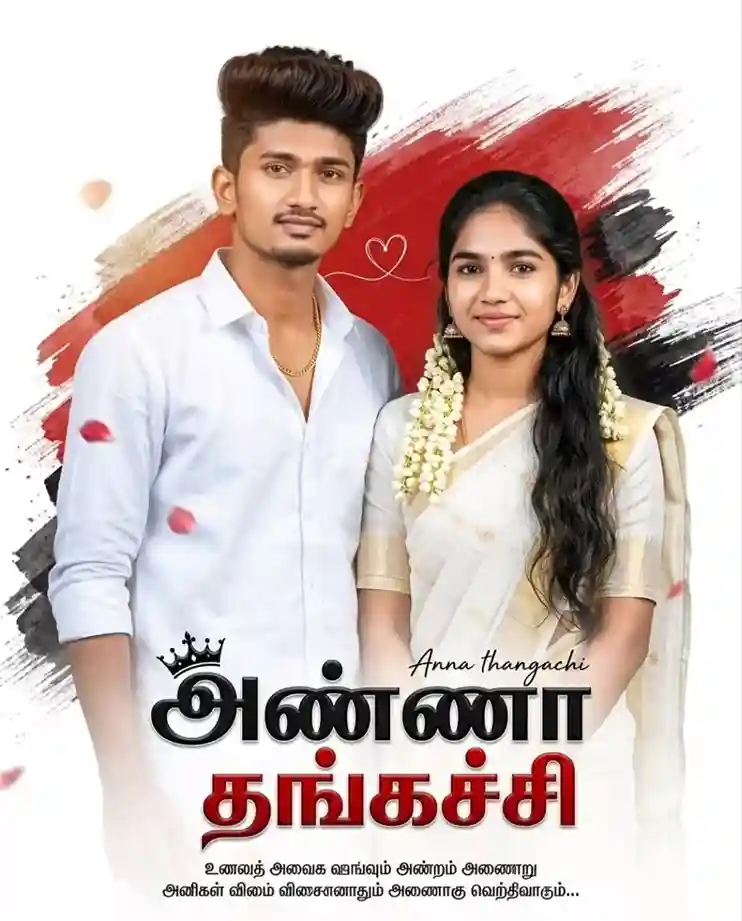
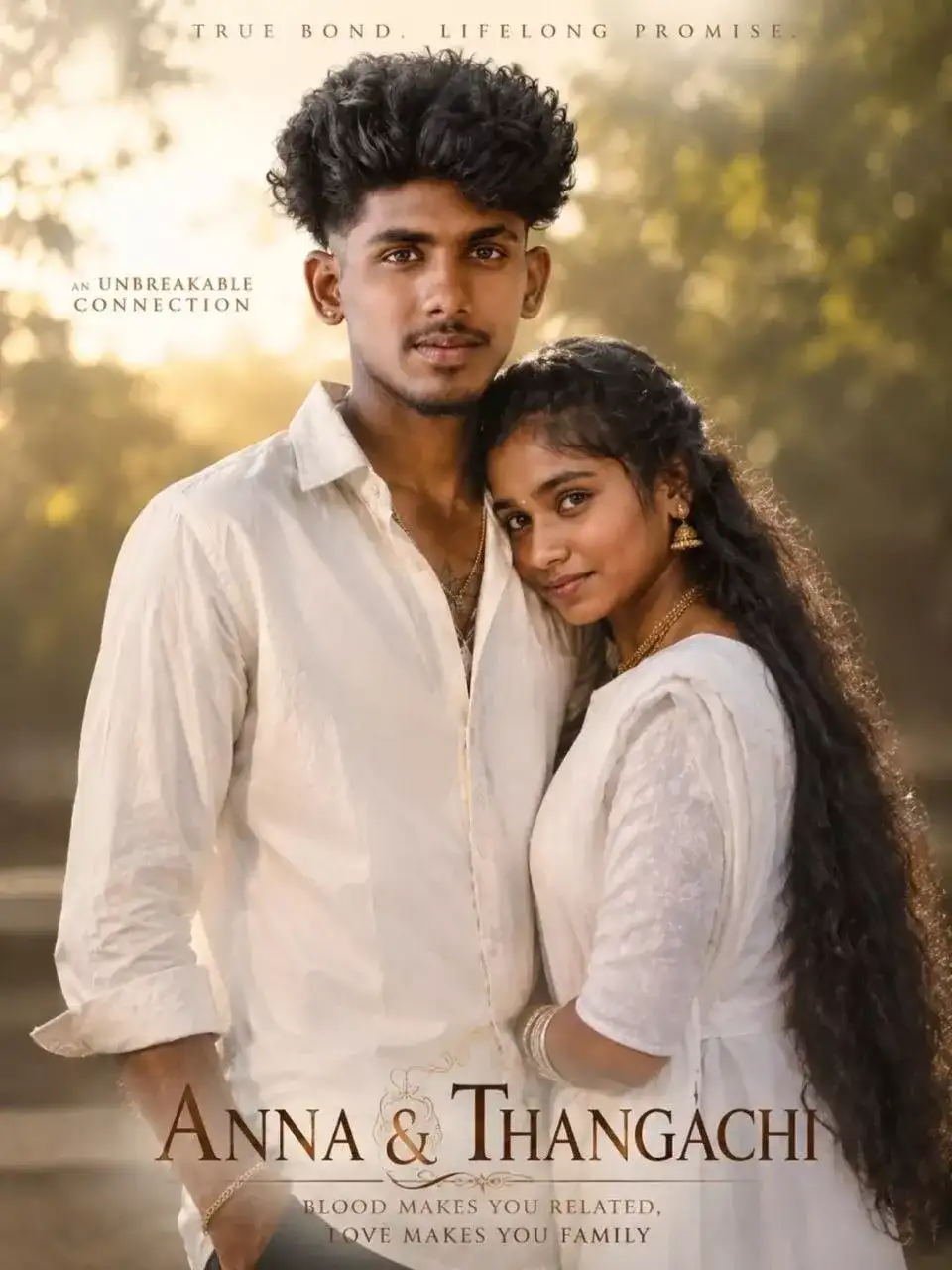
Ultra-realistic cinematic Tamil sibling emotional poster featuring a confident young South Indian brother and his loving younger sister standing together in elegant white traditional outfits, the brother having thick curly hair, trimmed beard, sharp eyes, gold chain and a premium Tamil hero look, the sister having long black hair with jasmine flowers, traditional jhumka earrings and a warm emotional smile, artistic red and black paint brush stroke background, floating rose petals, cinematic depth, soft sunlight highlights, realistic skin texture, DSLR-quality detailing, premium cinematic color grading, emotional family bonding atmosphere, stylish white background with bold red-black contrast, large Tamil typography title, centered composition, HDR, professional movie-poster aesthetic, masterpiece quality, 4K resolution.
Anna Thangachi Prompt for Realistic AI Photos
Ultra-realistic cine visible, dramatic confident expression. The girl is wearing a traditional maroon ethnic outfit with a soft beige dupatta, jasmine flowers in long black hair, small jhumka earrings, calm elegant expression. Dramatic dual-tone cinematic lighting with vibrant blue light from the left side and fiery red/orange light from the right side creating a high-contrast atmosphere. Dark textured studio background with glowing particles and soft bokeh effects. Ultra detailed facial features, realistic skin texture, sharp focus, shallow depth of field, professional color grading, high-end cinematic retouching, 4K poster quality. At the bottom, bold metallic Tamil typography title design with silver chrome texture and glowing orange highlights, stylish movie-poster layout, emotional “Anna Thangachi” theme, centered composition, cinematic poster aesthetic, ultra realistic, HDR, highly de
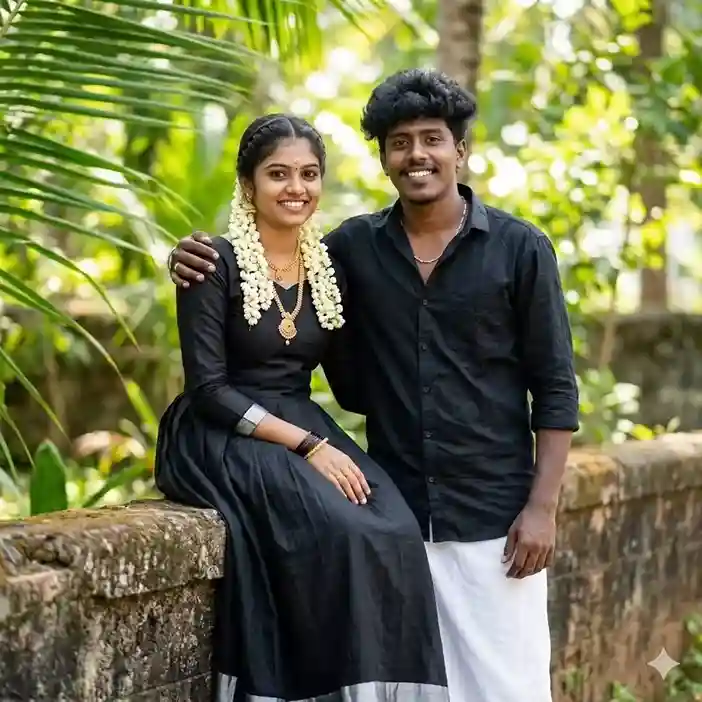
A high-quality cinematic portrait of a young South Indian couple posing in a lush green outdoor garden. The woman is sitting on a stone wall, wearing a traditional black long dress with a silver border, adorned with a jasmine flower garland (mullappoo) and gold jewelry. The man stands next to her, resting his arm on her shoulder; he is wearing a black button-down shirt with rolled-up sleeves and a traditional white dhoti (veshti). They are both smiling warmly at the camera. The background features soft-focus tropical greenery and palm leaves, creating a vibrant and natural atmosphere with soft daylight.
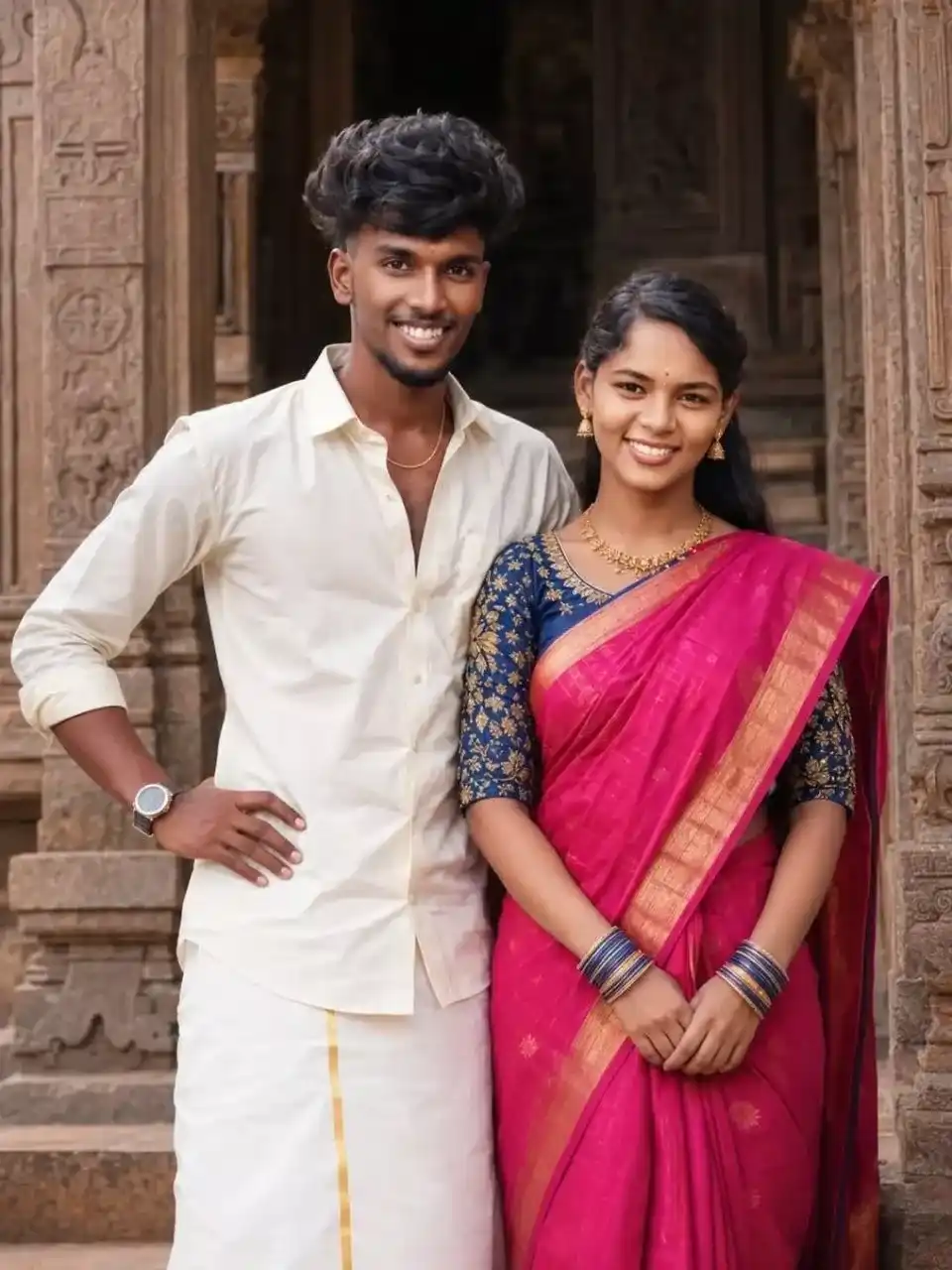
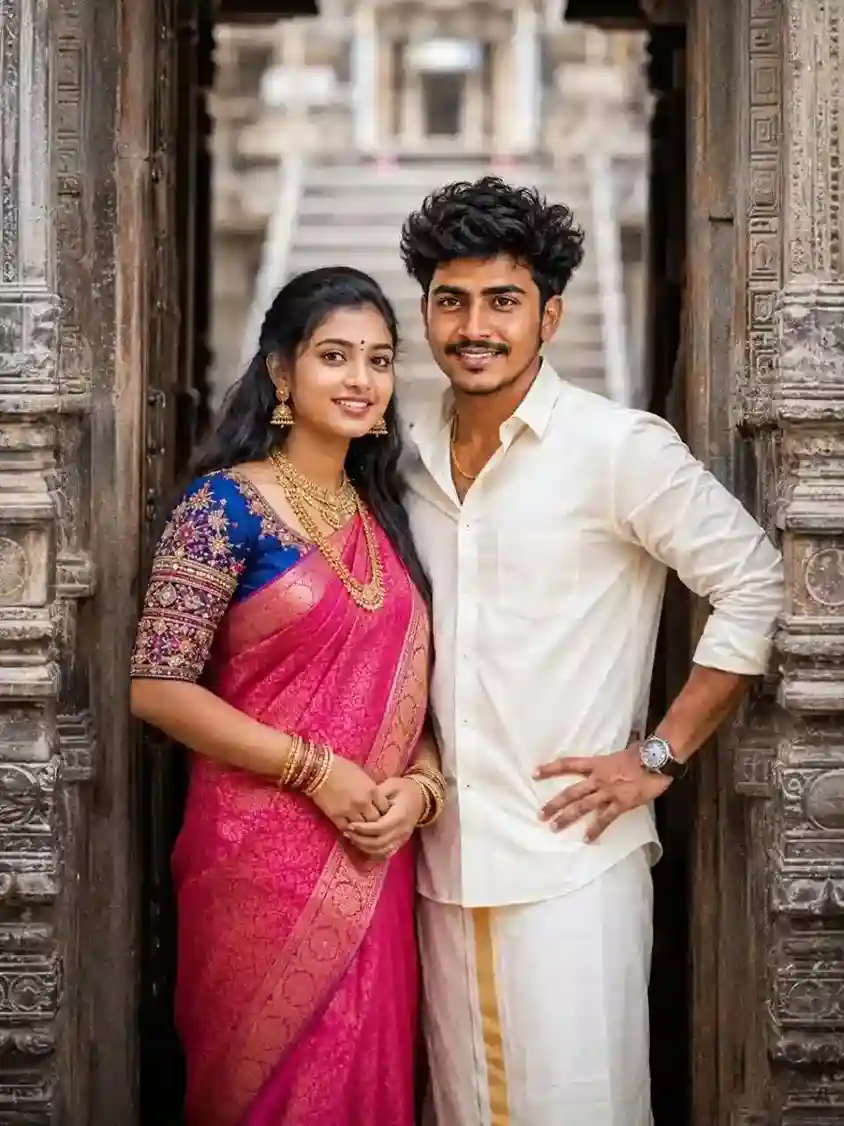
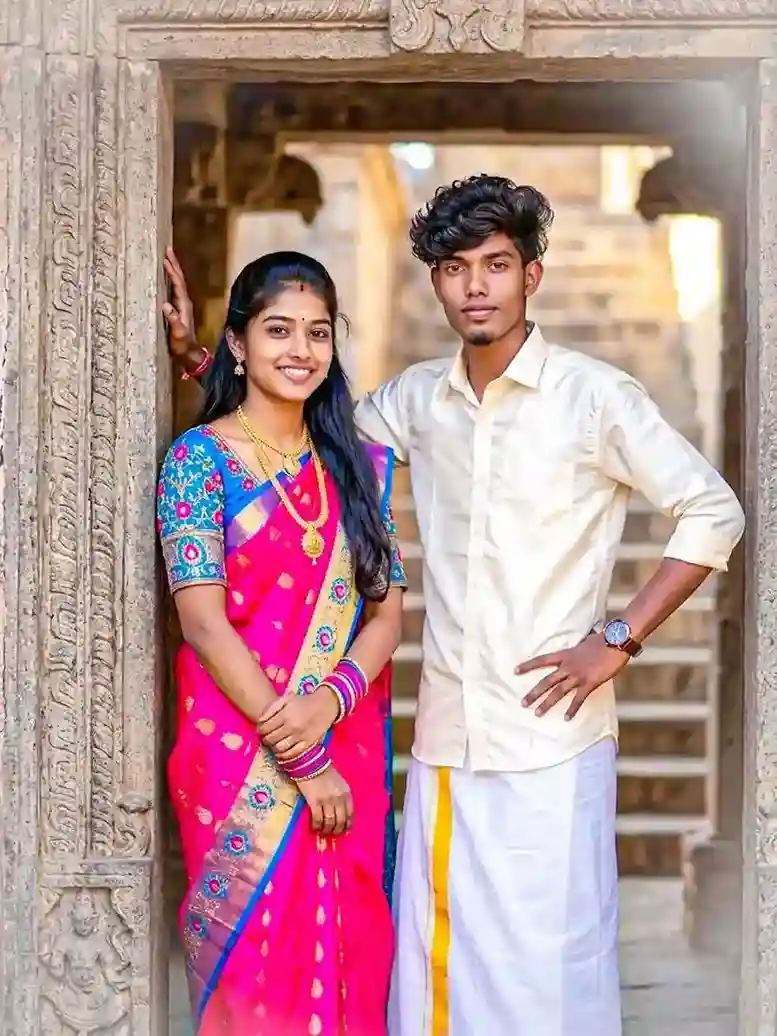
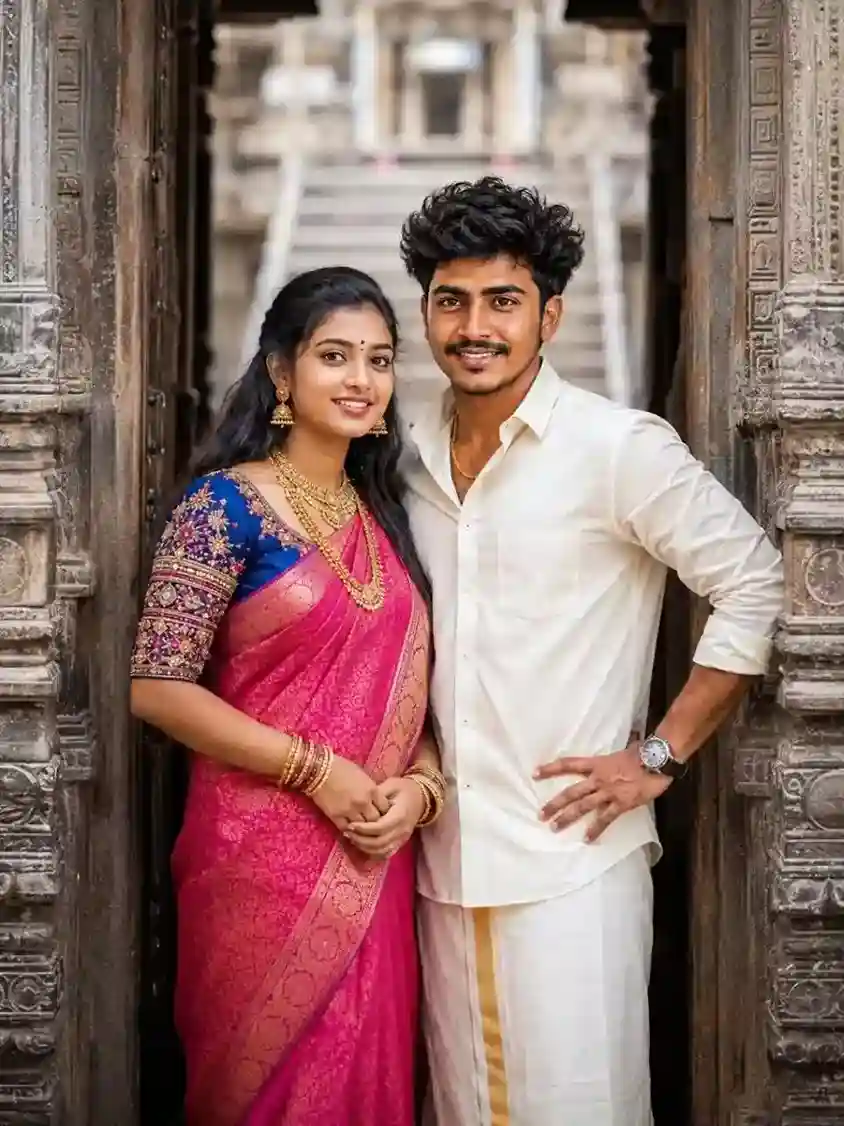
Ultra-realistic South Indian traditional couple portrait standing inside an ancient stone temple doorway, young Indian woman wearing a bright pink silk saree with rich blue and gold embroidered blouse, traditional gold jewelry, bangles, necklace, small bindi, long black hair, smiling naturally, young Indian man wearing cream full-sleeve shirt and white veshti/dhoti with yellow border, stylish curly hair, wrist watch, confident pose with one hand on waist, both looking directly at camera, carved temple architecture, rustic stone textures, soft natural daylight, shallow depth of field, cinematic portrait photography, vibrant ethnic colors, highly detailed skin texture, realistic facial features, DSLR quality, sharp focus, warm tones, traditional Tamil culture aesthetic, centered composition, blurred temple staircase background, professional color grading, 85mm lens, f/1.8, ultra HD, photorealistic.
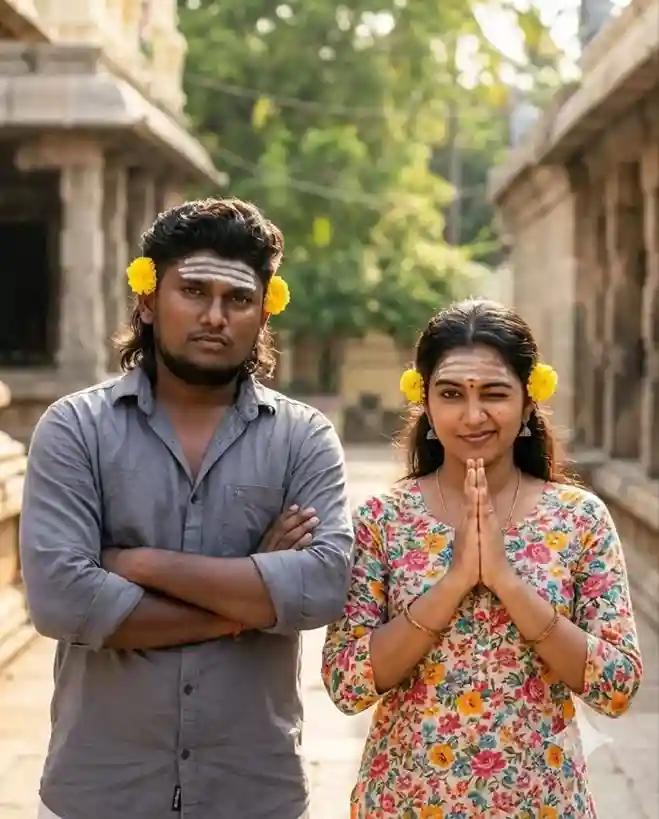
A cinematic shot of a South Indian man and woman standing outdoors, the woman wearing a floral top with her hands pressed in prayer and winking playfully, the bearded man wearing a grey button-down shirt with his arms crossed and a serious expression, both having yellow flowers tucked behind their ears and three horizontal white ash stripes (Vibuthi) on their foreheads, natural bright lighting, outdoor temple surroundings, realistic facial features, cinematic photography, sharp focus, warm tones, DSLR quality, highly detailed, professional color grading, shallow depth of field, ultra HD, photorealistic, 4:5 aspect ratio.
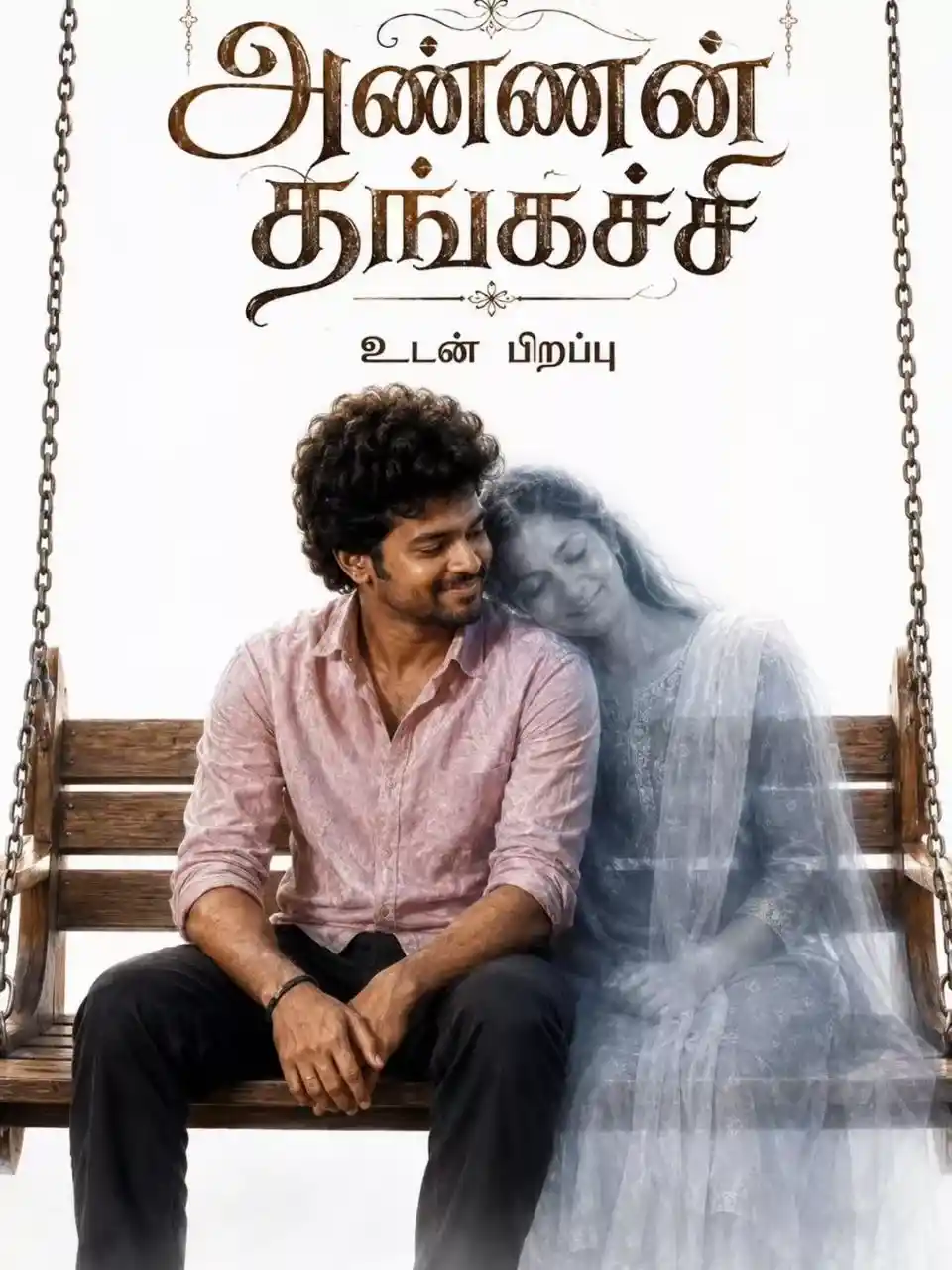
A cinematic poster titled “அண்ணன் தங்கச்சி” in elegant gothic typography, stylish modern font design. A young South Asian man with curly hair, wearing a light pink button-up shirt and black trousers, sitting on a traditional wooden park oonjal (swing). Beside him appears a translucent, ethereal spirit-like woman in a traditional grey salwar kameez, gently resting her head on his shoulder. The man gazes down at her with a soft, emotional, melancholic smile. Clean white background, emotional sibling bond atmosphere, cinematic composition, realistic facial features, soft natural lighting, highly detailed skin texture, professional portrait photography, shallow depth of field, DSLR quality, sharp focus, premium color grading, ultra-realistic, 8K resolution, photorealistic masterpiece.
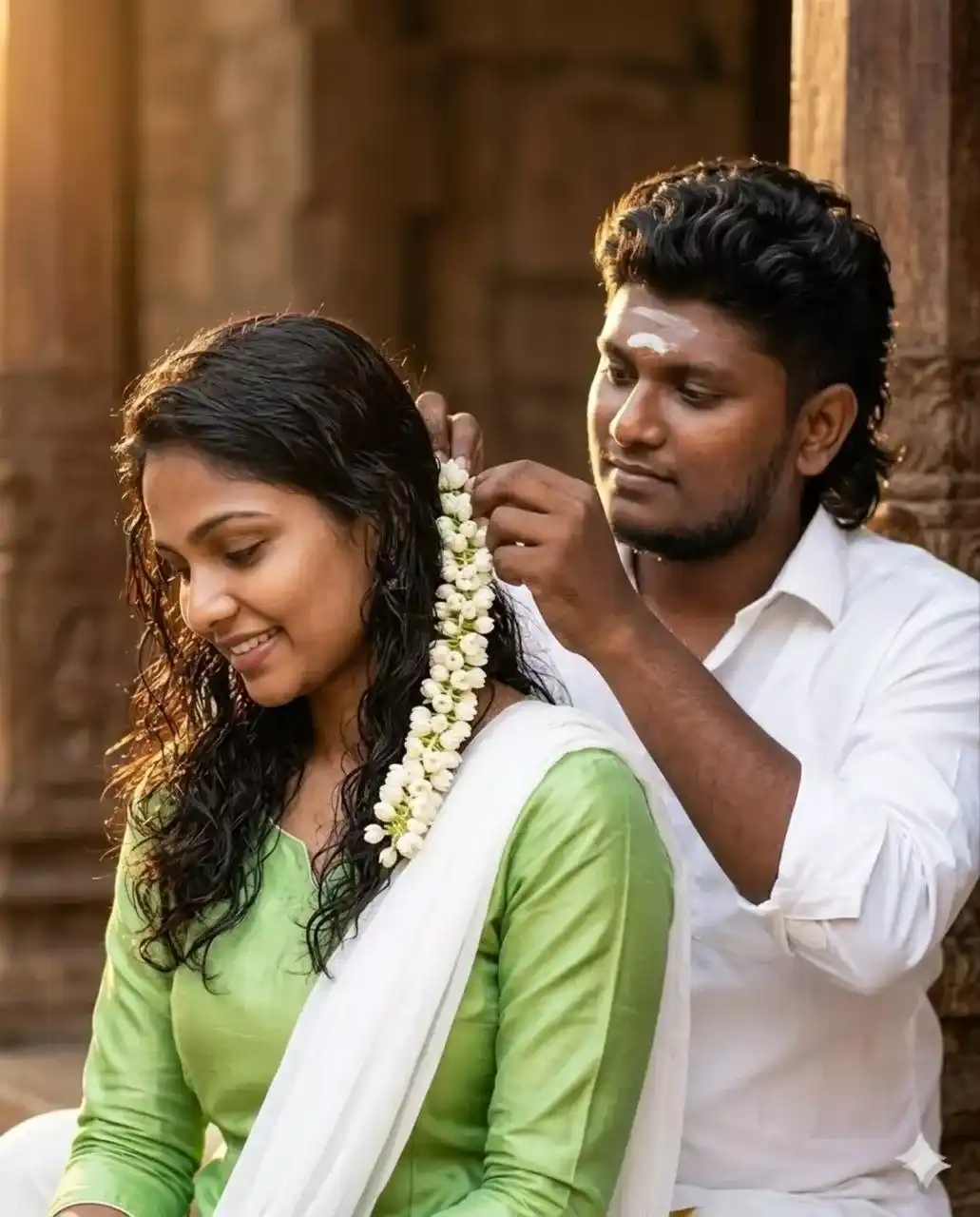
Ultra-realistic high-resolution intimate portrait of a Tamil Nadu couple, handsome South Indian man with wavy black hair and light beard gently placing a fresh jasmine gajra into the long dark wavy hair of a beautiful curvy woman, woman looking downward with a shy radiant smile, emotional romantic moment, vibrant light green silk kurta with elegant white dupatta, damp lustrous hair cascading down her back, man wearing a classic white shirt with traditional white tilak on his forehead, fresh white jasmine flowers with delicate green stems, warm golden hour sunlight from upper left, soft glowing skin tones, cinematic rim lighting on hair, earthy brown temple-inspired architecture in background, cinematic bokeh, shallow depth of field, highly detailed skin texture, realistic facial features, professional color grading, DSLR quality, sharp focus, rich saturated colors, 85mm prime lens, f/1.8 aperture, ultra HD, photorealistic masterpiece, authentic South Indian cultural aesthetic, romantic atmosphere, 8K quality, 4:5 aspect ratio.
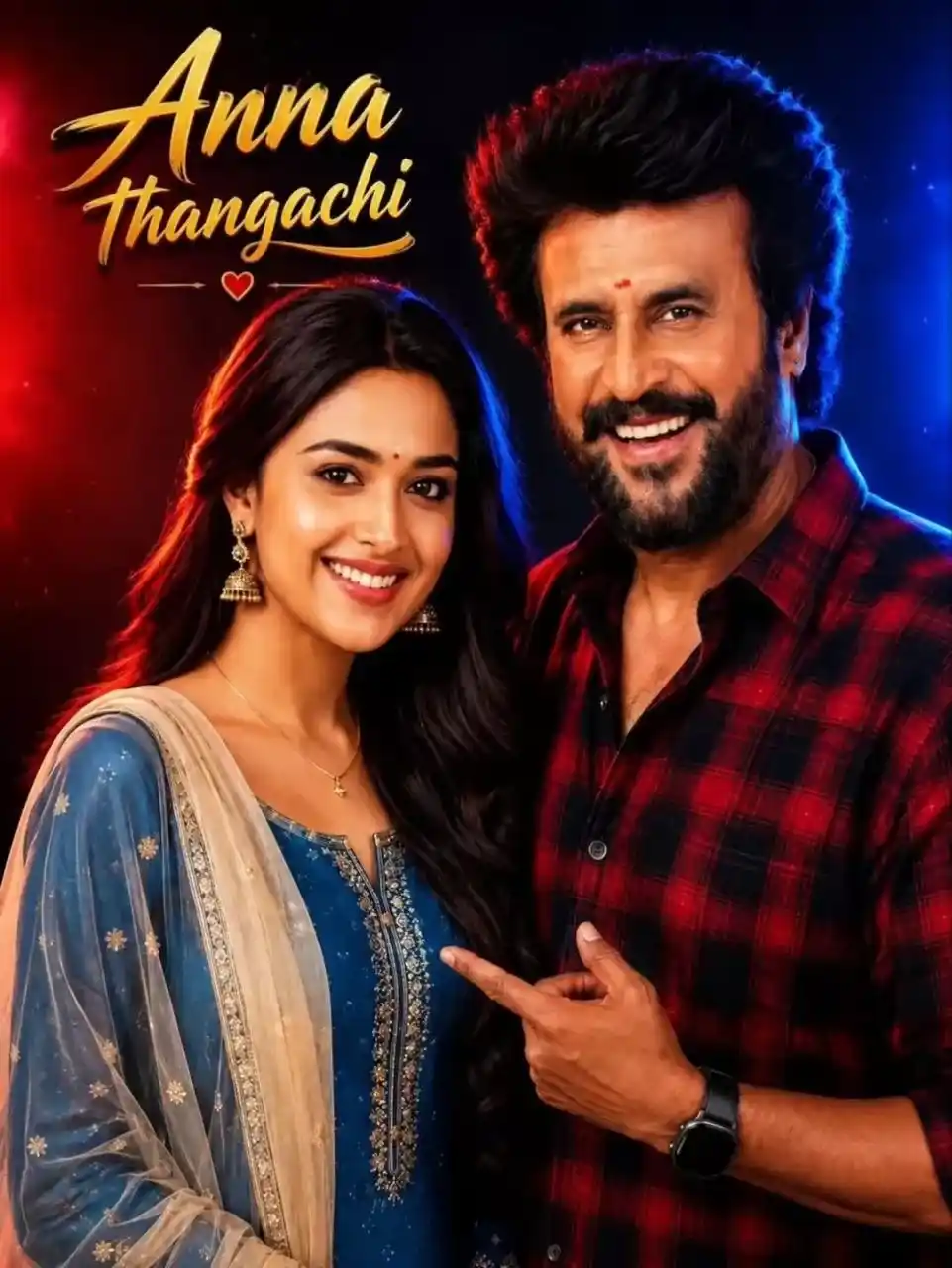
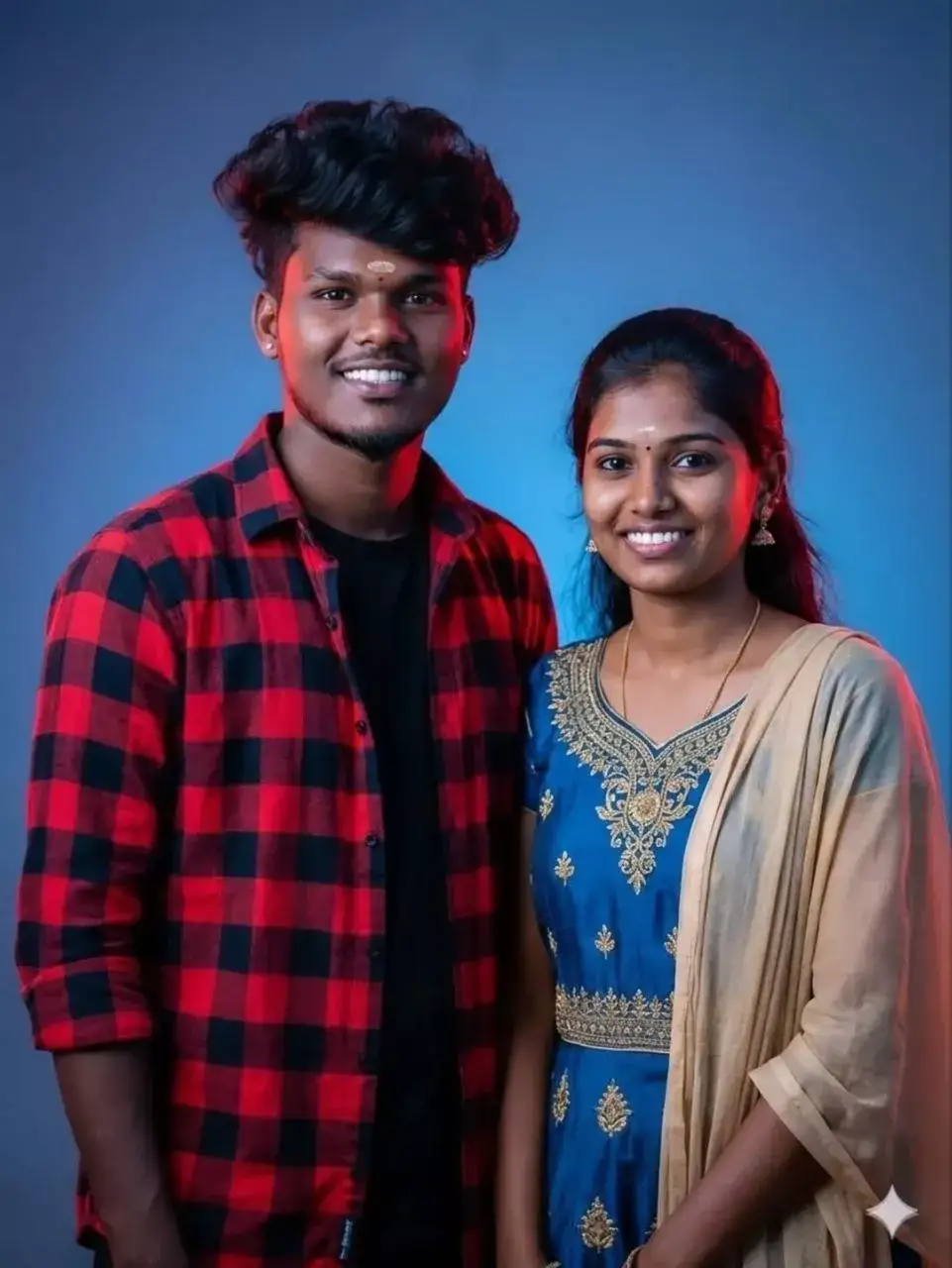
A highly detailed cinematic 4K portrait of a young South Indian couple standing side by side, smiling warmly at the camera. The girl is wearing a blue traditional dress with a beige dupatta, long black hair styled neatly, wearing jhumka earrings and a simple chain. “அண்ணன் தங்கச்சி” The boy is wearing a red and black checkered shirt, stylish voluminous hair, light beard, and a small tilak on his forehead. Background is a dark studio backdrop with dramatic red and blue rim lighting from both sides, creating a vibrant cont…
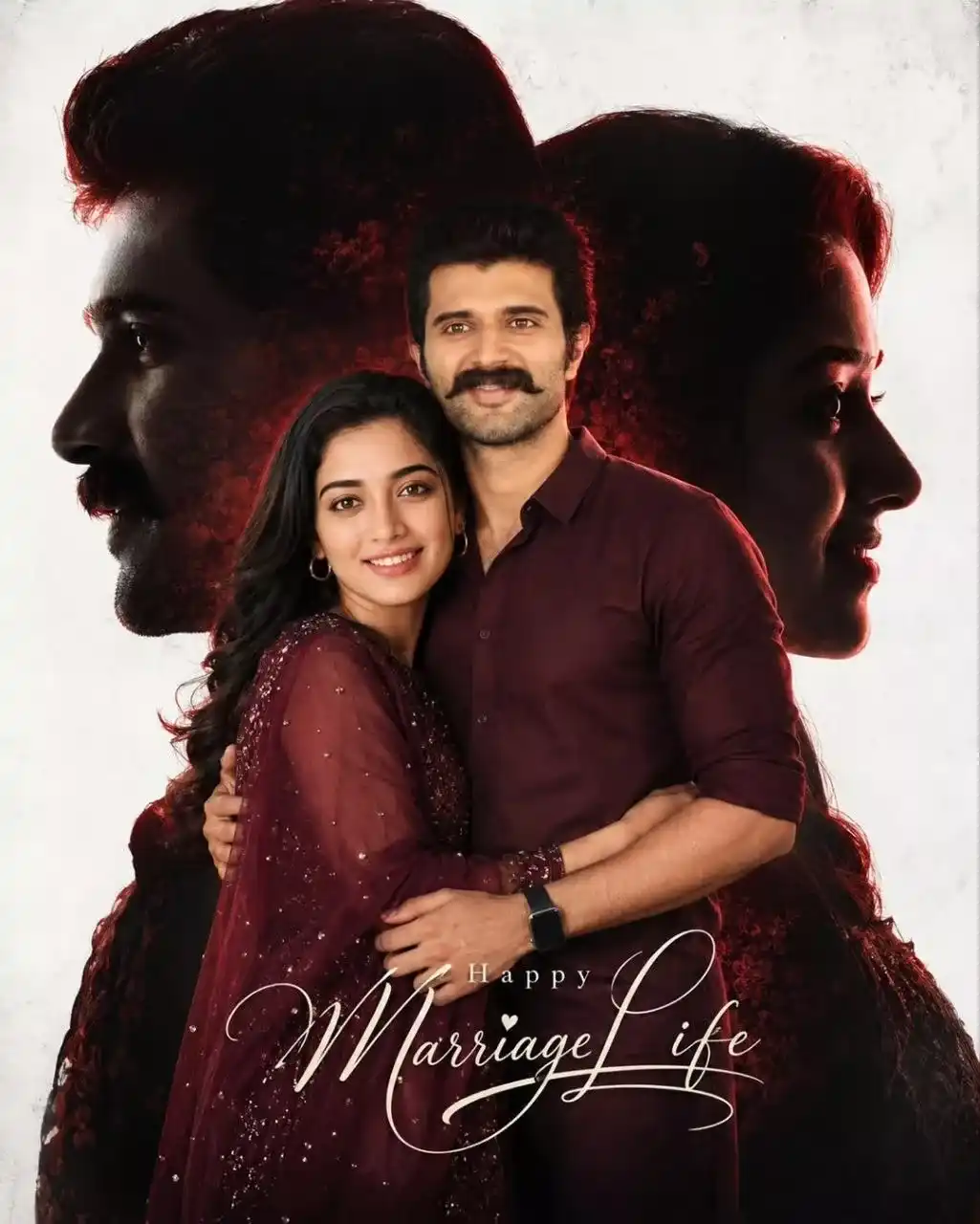
Ultra-realistic romantic wedding poster of a South Indian couple, cinematic double exposure composition, handsome man gently embracing a beautiful woman, both wearing matching dark maroon traditional outfits, warm loving expressions, elegant couple portrait, large artistic side-profile silhouettes of both faces blended into the background, glowing red rim lighting around silhouettes, clean white textured studio backdrop, dramatic soft cinematic lighting, high-contrast shadows, highly detailed skin texture, realistic facial features, professional wedding photography, premium color grading, sharp focus, DSLR quality, emotional romantic atmosphere, luxury poster design, stylish typography “Happy Marriage Life”, ultra HD, photorealistic masterpiece, 8K resolution, 4:5 aspect ratio.
Anna Thangachi Cinematic AI Prompts
Ultra-realistic South Indian traditional couple portrait standing inside an ancient stone temple doorway, young Indian woman wearing a bright pink silk saree with rich blue and gold embroidered blouse, traditional gold jewelry, bangles, necklace, small bindi, long black hair, smiling naturally, young Indian man wearing cream full-sleeve shirt and white veshti/dhoti with yellow border, stylish curly hair, wrist watch, confident pose with one hand on waist, both looking directly at camera, carved temple architecture, rustic stone textures, soft natural daylight, shallow depth of field, cinematic portrait photography, vibrant ethnic colors, highly detailed skin texture, realistic facial features, DSLR quality, sharp focus, warm tones, traditional Tamil culture aesthetic, centered composition, blurred temple staircase background, professional color grading, 85mm lens, f/1.8, ultra HD, photorealistic.
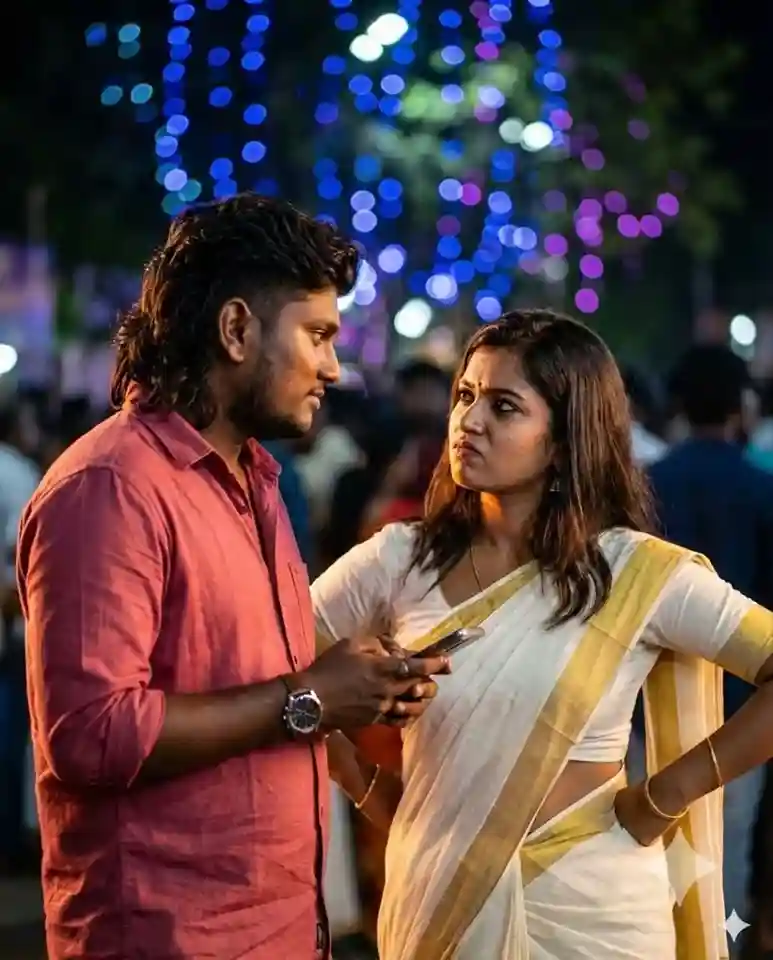
A cinematic medium shot of a Tamil Nadu man and woman standing outdoors at night during a festive celebration. The man, dark hair, wearing a solid reddish-pink button-down shirt and a watch, holding a smartphone. The woman is dressed in a traditional white Kerala Kasavu saree with a golden border, her hair down, looking at him with a defiant or questioning expression, hands on her hips. The background is softly blurred with vibrant blue and purple bokeh lights from a decorated tree and a crowd of people in dark tones. The lighting is warm on the subjects’ faces, creating a moody, dramatic atmosphere typical of a contemporary Indian film scene.
Key elements included:
The look: Focuses on the specific “Kerala Style” attire (Kasavu Saree) and the man’s casual appearance.
The mood: Captures the staged cinematic lighting and the specific color palette of the background lights.
The interaction: Describes the hands-on-hips posture which gives the image its personality.
4:5 aspect ratio.
Ultra-realistic cinematic Tamil sibling emotional poster featuring a confident young South Indian brother and his loving younger sister standing together in a stylish emotional pose, both wearing elegant white traditional outfits. The brother has thick stylish curly hair, trimmed beard, expressive sharp eyes, masculine aura, soft confident smile, gold chain, premium Tamil hero appearance.
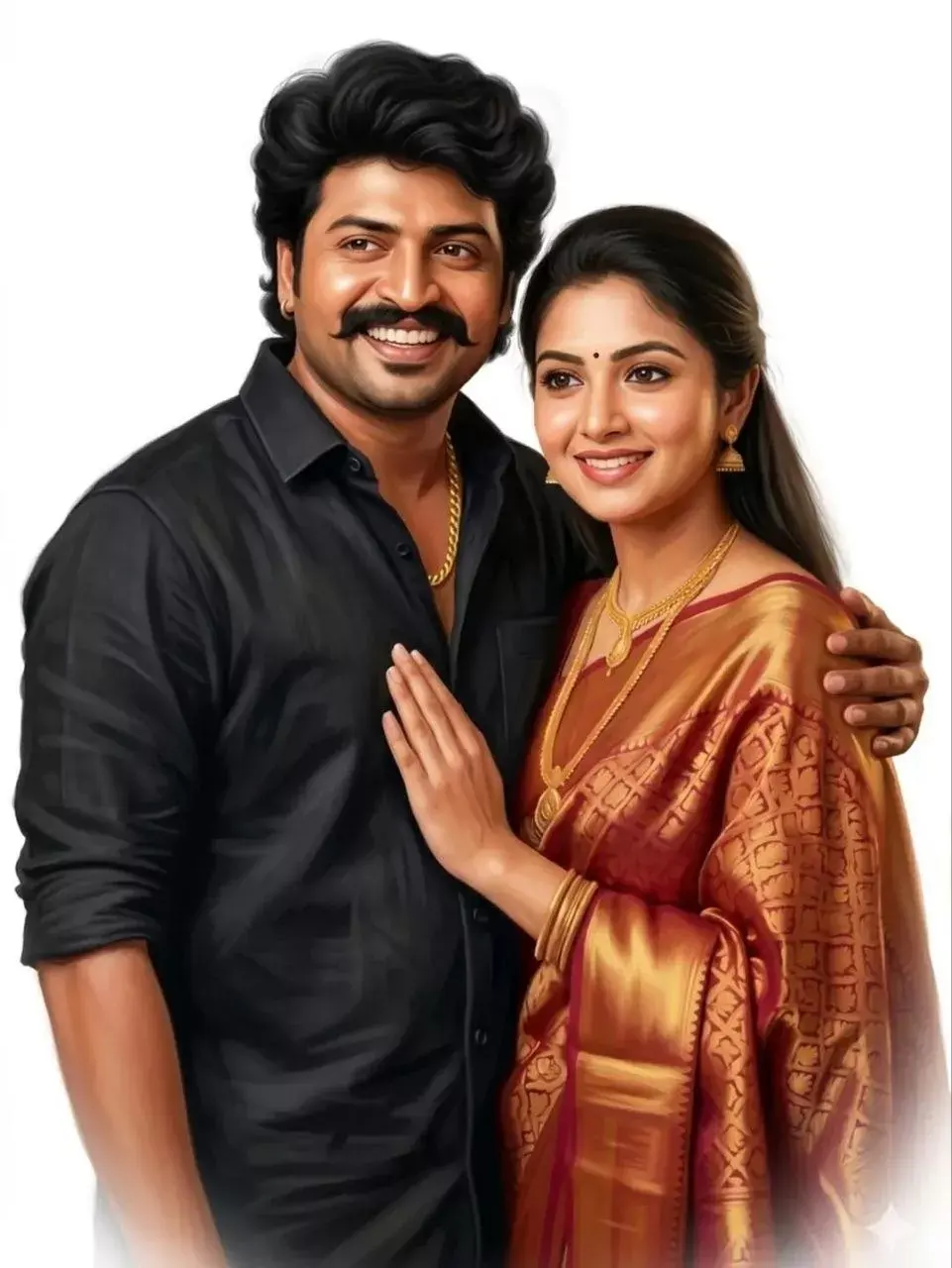
A high-quality digital painting of an Indian family with a joyful smile, looking off-camera. Same original picture. The man has thick, voluminous wavy black hair styled neatly. He is wearing a crisp black linen shirt with a few buttons open, revealing a thick gold chain. The art style is smooth and painterly with a soft glow, featuring a clean white vignette background. Professional lighting, vibrant skin tones, hyper-realistic facial features, 8K resolution, oil painting texture.
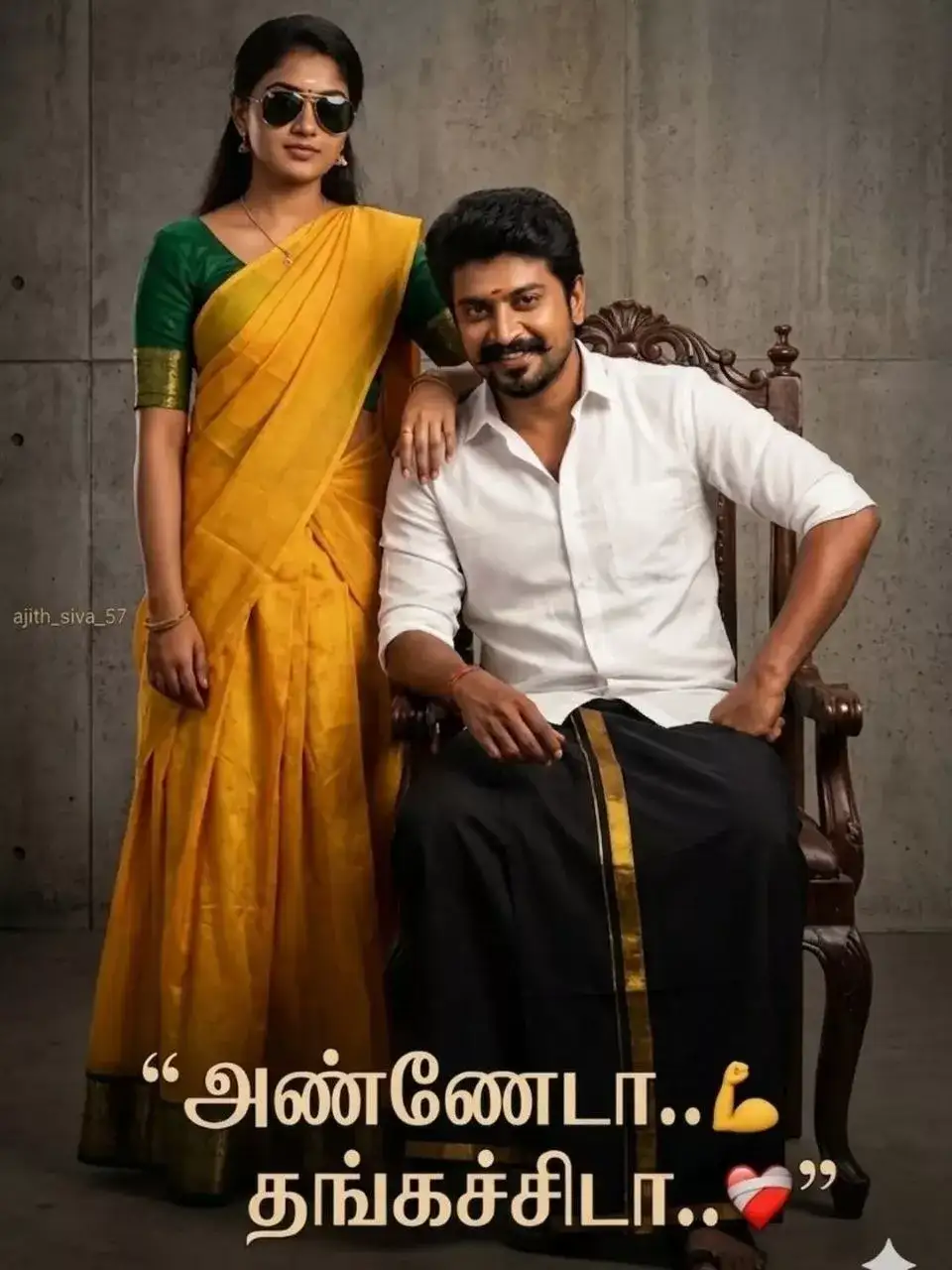
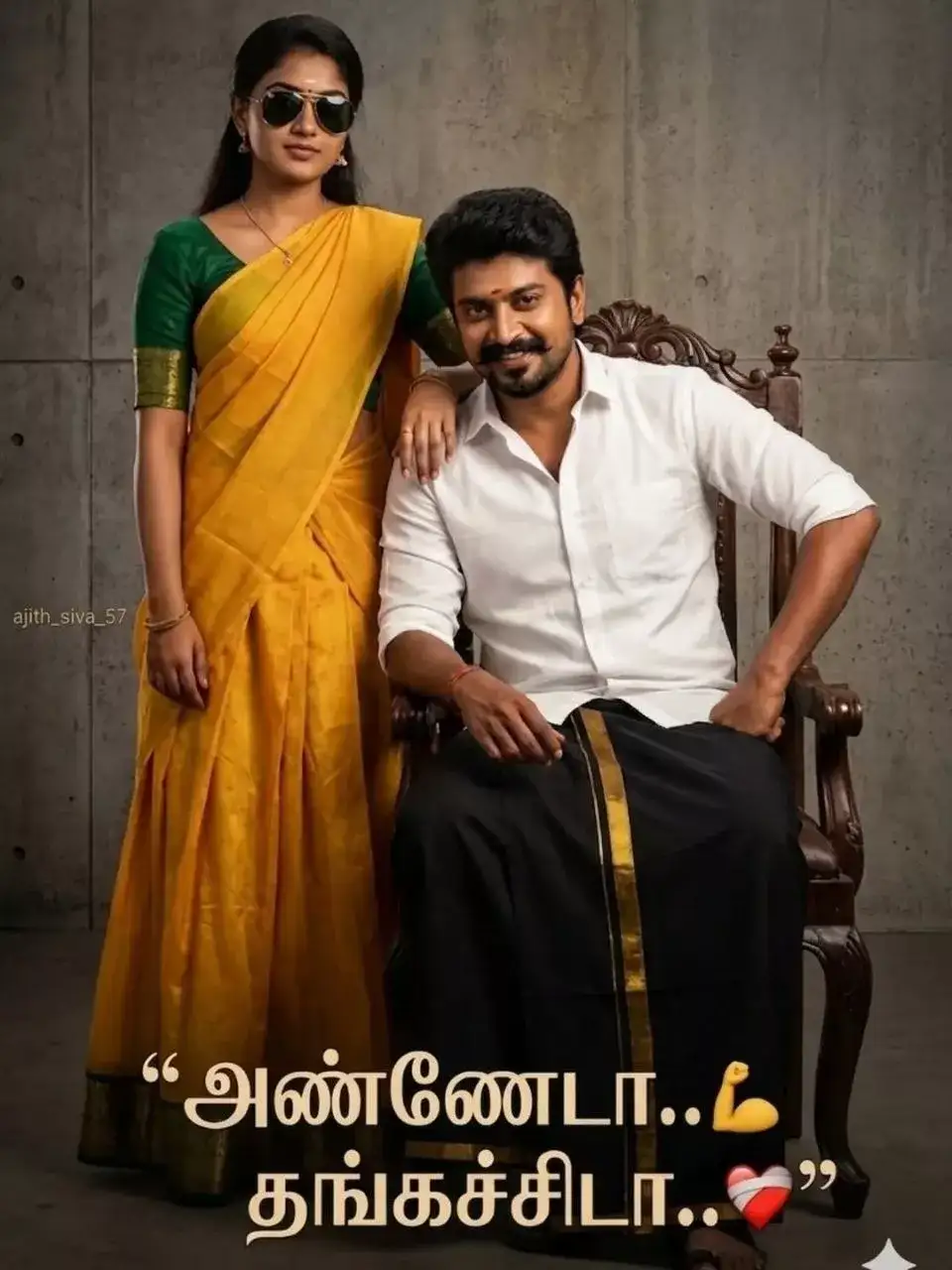
Create a stylish South Indian brother-sister portrait set in a professional studio background. The brother is 32 years old, seated confidently on a chair. He is wearing a traditional black veshti with a subtle gold border and a crisp white shirt. His pose is bold and relaxed — one hand resting on his thigh, slightly leaning forward with a confident attitude. The younger sister is 20 years old, standing beside him with a strong and stylish presence. She is wearing a yellow half-saree (davani) with a green blouse. She stands close to him, placing her hand on his left shoulder in a proud and affectionate way. Both have a confident, “mass” (stylish and powerful) attitude. The sister is wearing cool sunglasses, adding a modern and bold touch to the traditional look. Lighting should be dramatic studio lighting with sharp shadows and highlights, enhancing their expressions and outfit details. The overall mood should feel powerful, elegant, and emotionally warm, showcasing a strong sibling bond. 100% exact same face matching. Add optional text at the bottom: elegant Tamil typography — “அண்ணேடா..💪 தங்கச்சிடா..❤️”
Ultra-realistic South Indian traditional couple portrait standing inside an ancient stone temple doorway, young Indian woman wearing a bright pink silk saree with rich blue and gold embroidered blouse, traditional gold jewelry, bangles, necklace, small bindi, long black hair, smiling naturally, young Indian man wearing cream full-sleeve shirt and white veshti/dhoti with yellow border, stylish curly hair, wrist watch, confident pose with one hand on waist, both looking directly at camera, carved temple architecture, rustic stone textures, soft natural daylight, shallow depth of field, cinematic portrait photography, vibrant ethnic colors, highly detailed skin texture, realistic facial features, DSLR quality, sharp focus, warm tones, traditional Tamil culture aesthetic, centered composition, blurred temple staircase background, professional color grading, 85mm lens, f/1.8, ultra HD, photorealistic.
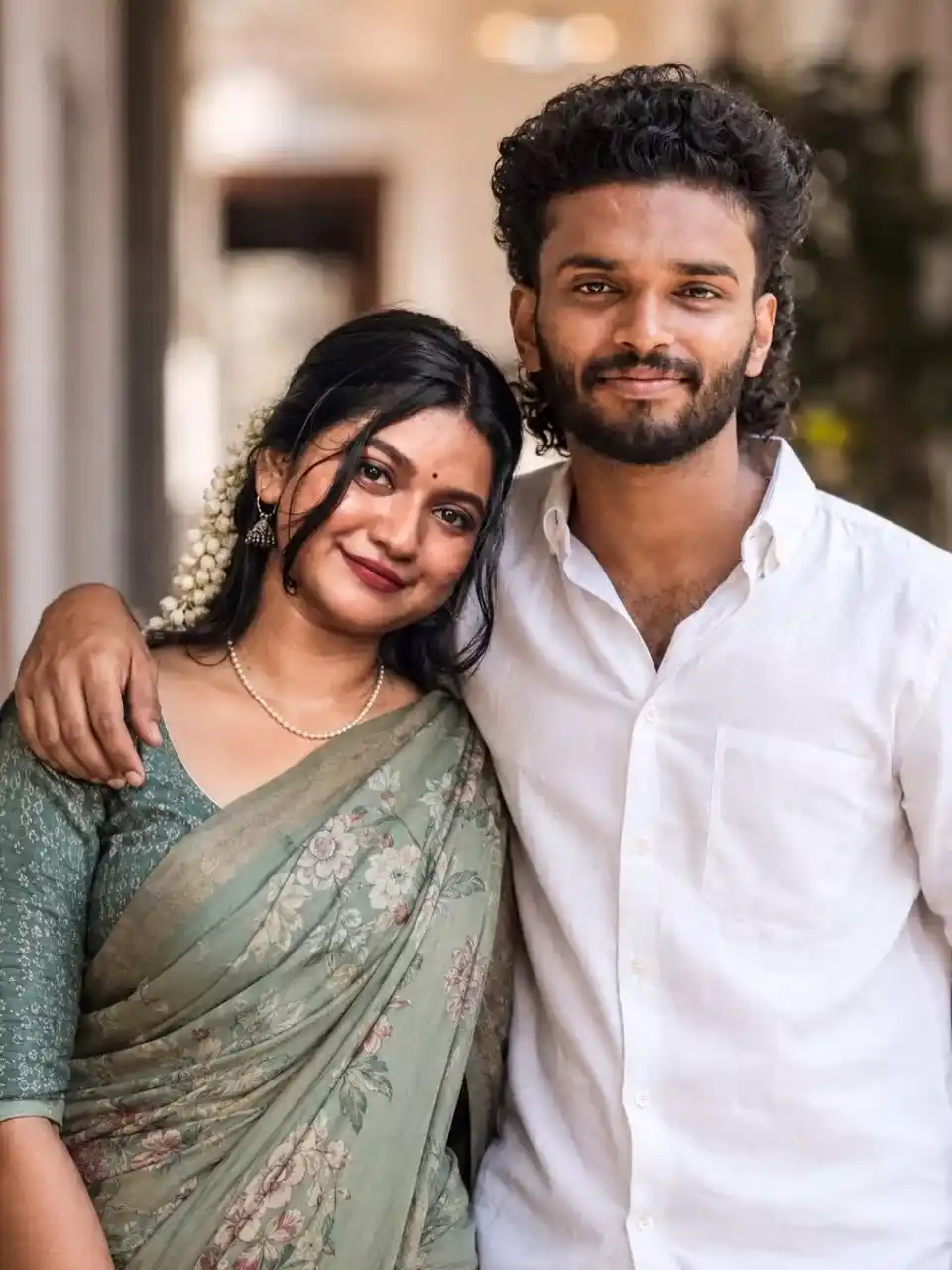
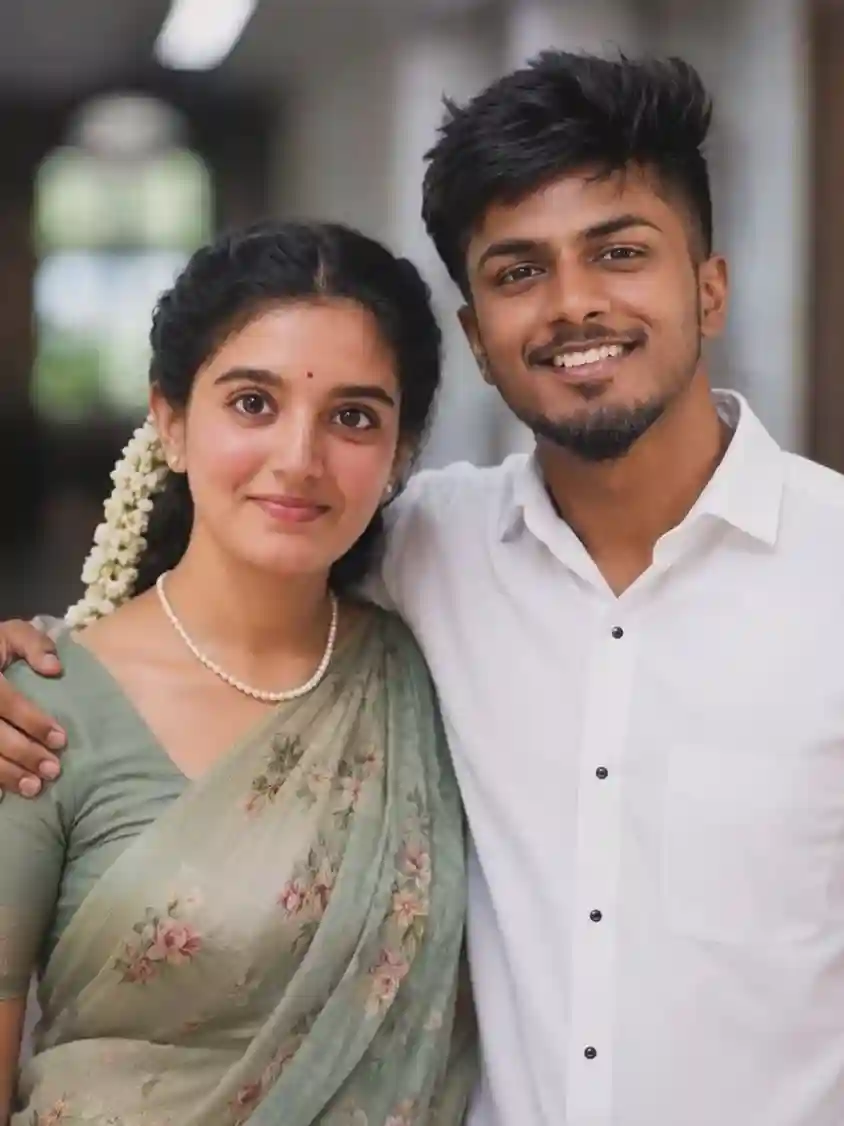
A realistic, high-quality portrait of a young Indian man and woman standing close together, smiling warmly at the camera. The woman is wearing a traditional sage-green floral saree with a matching blouse, jasmine flowers (gajra) in her hair, a red bindi, and a simple pearl necklace. The man has thick, wavy dark hair and is wearing a crisp white button-down shirt with his arm around her shoulder. The background is a softly blurred indoor hallway with natural lighting. Shot on an 85mm lens, f/1.8, cinematic lighting, highly detailed textures.
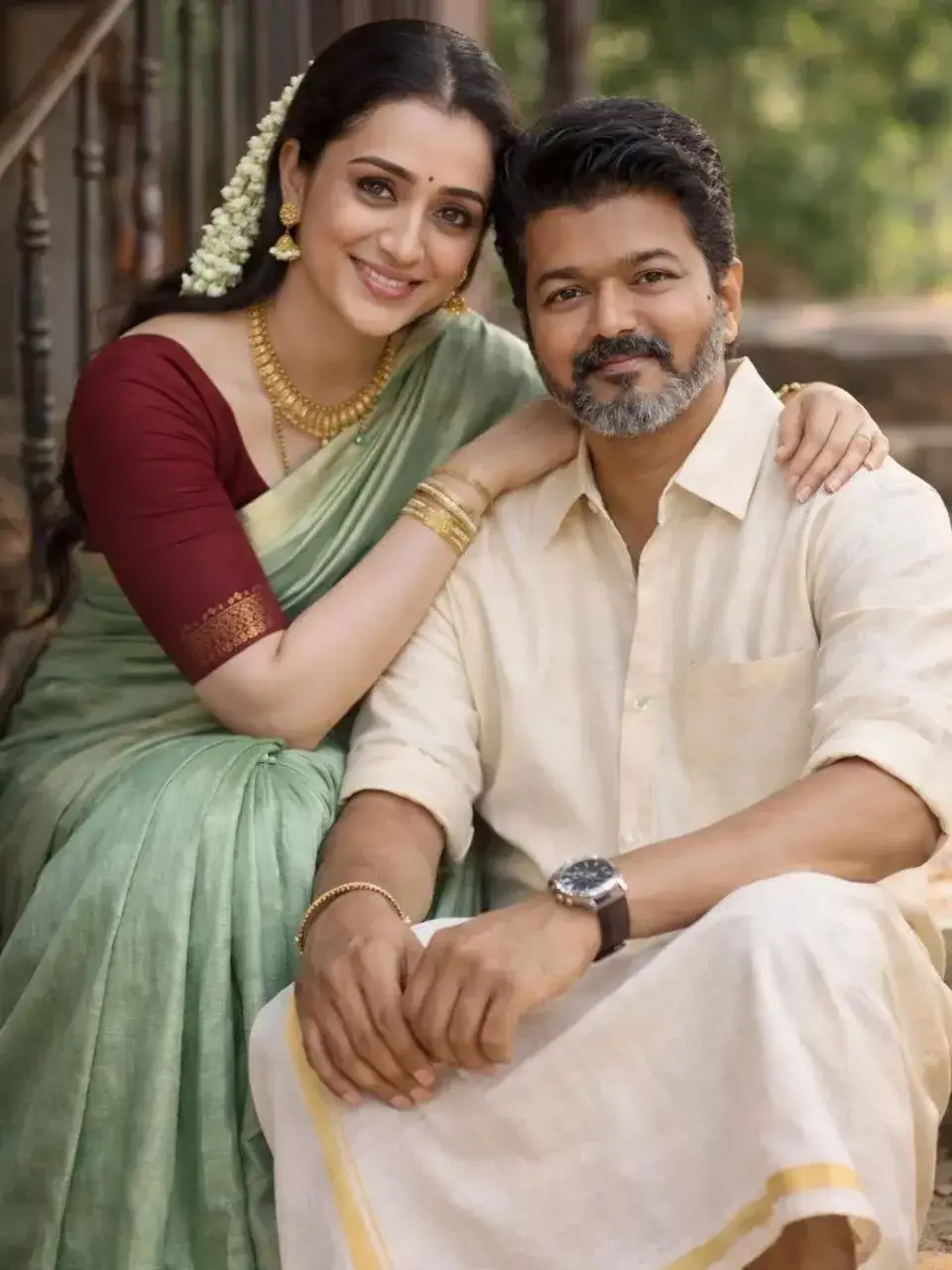
A realistic romantic South Indian couple portrait, sitting on rustic outdoor steps near a traditional house with metal railings and natural greenery in the background. The woman is wearing a soft green silk saree with a maroon blouse, traditional gold jewelry, jasmine flowers (gajra) in her long black hair, and a small red bindi. She is smiling warmly and resting her arm gently on the man’s shoulder. The man is wearing a light beige shirt with a traditional white veshti (dhoti) with a golden border, a wristwatch, and a simple bracelet. He is sitting slightly lower, smiling confidently at the camera. Natural soft daylight, warm tones, shallow depth of field, cinematic bokeh background, highly detailed skin texture, realistic lighting, candid pose, wedding-style photography, 85mm lens, f/1.8, ultra realistic, 8k resolution.
Anna Thangachi Instagram Reel Prompt Ideas Copy Paste
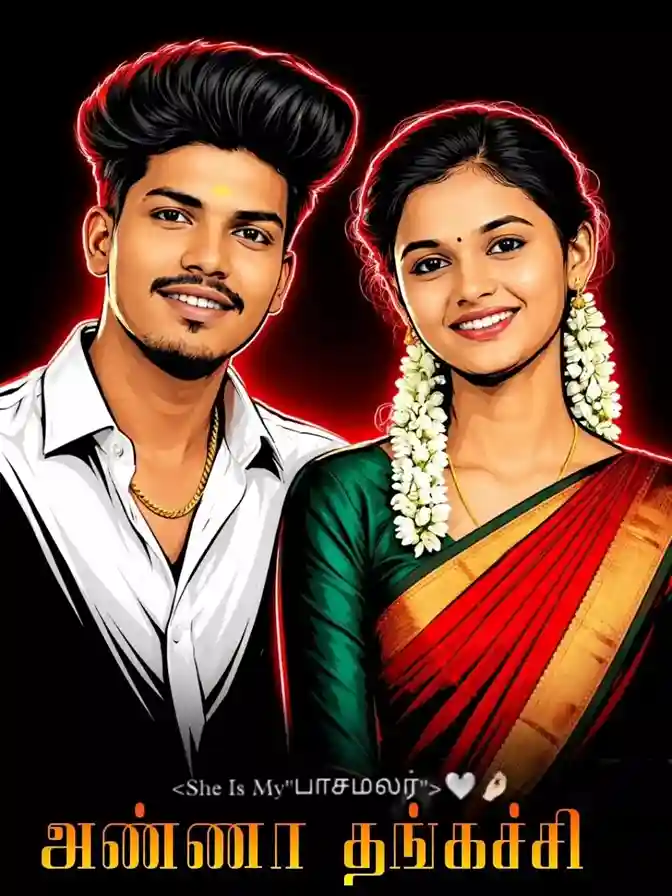
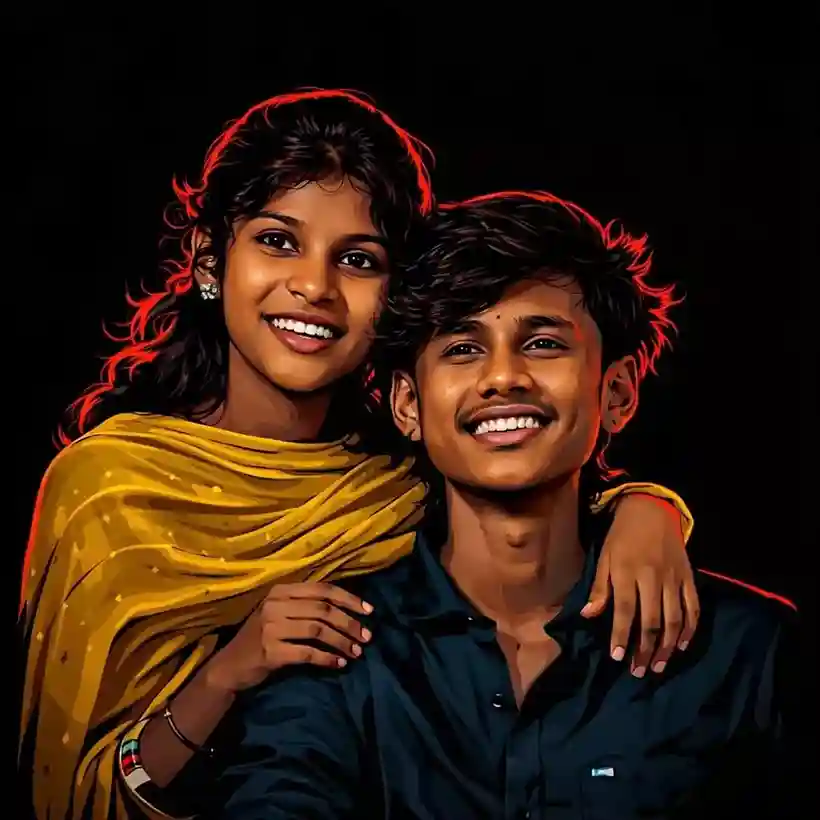
Create a 3:4 vertical ultra-clean vector portrait based strictly on the provided reference image, preserving the subject’s facial identity with absolute accuracy, keeping facial features 100% identical to the original reference image, do not modify facial structure, proportions, skin tone, bone structure, eye spacing, nose shape, lip shape, jawline, hairline, beard density, or any defining characteristics, style transformation only, no identity alterations, convert the portrait into a high-contrast neo-noir vector illustration with a tight head-and-upper-neck crop, slightly angled face orientation preserved exactly as reference, strong cinematic framing, large negative space around the subject, centered or slightly off-center placement, pure solid black (#000000) background with no texture, no gradients, no noise, dramatic single 30-degree rim lighting, dominant red/crimson edge lighting.
Ultra-realistic South Indian traditional couple portrait standing inside an ancient stone temple doorway, young Indian woman wearing a bright pink silk saree with rich blue and gold embroidered blouse, traditional gold jewelry, bangles, necklace, small bindi, long black hair, smiling naturally, young Indian man wearing cream full-sleeve shirt and white veshti/dhoti with yellow border, stylish curly hair, wrist watch, confident pose with one hand on waist, both looking directly at camera, carved temple architecture, rustic stone textures, soft natural daylight, shallow depth of field, cinematic portrait photography, vibrant ethnic colors, highly detailed skin texture, realistic facial features, DSLR quality, sharp focus, warm tones, traditional Tamil culture aesthetic, centered composition, blurred temple staircase background, professional color grading, 85mm lens, f/1.8, ultra HD, photorealistic.
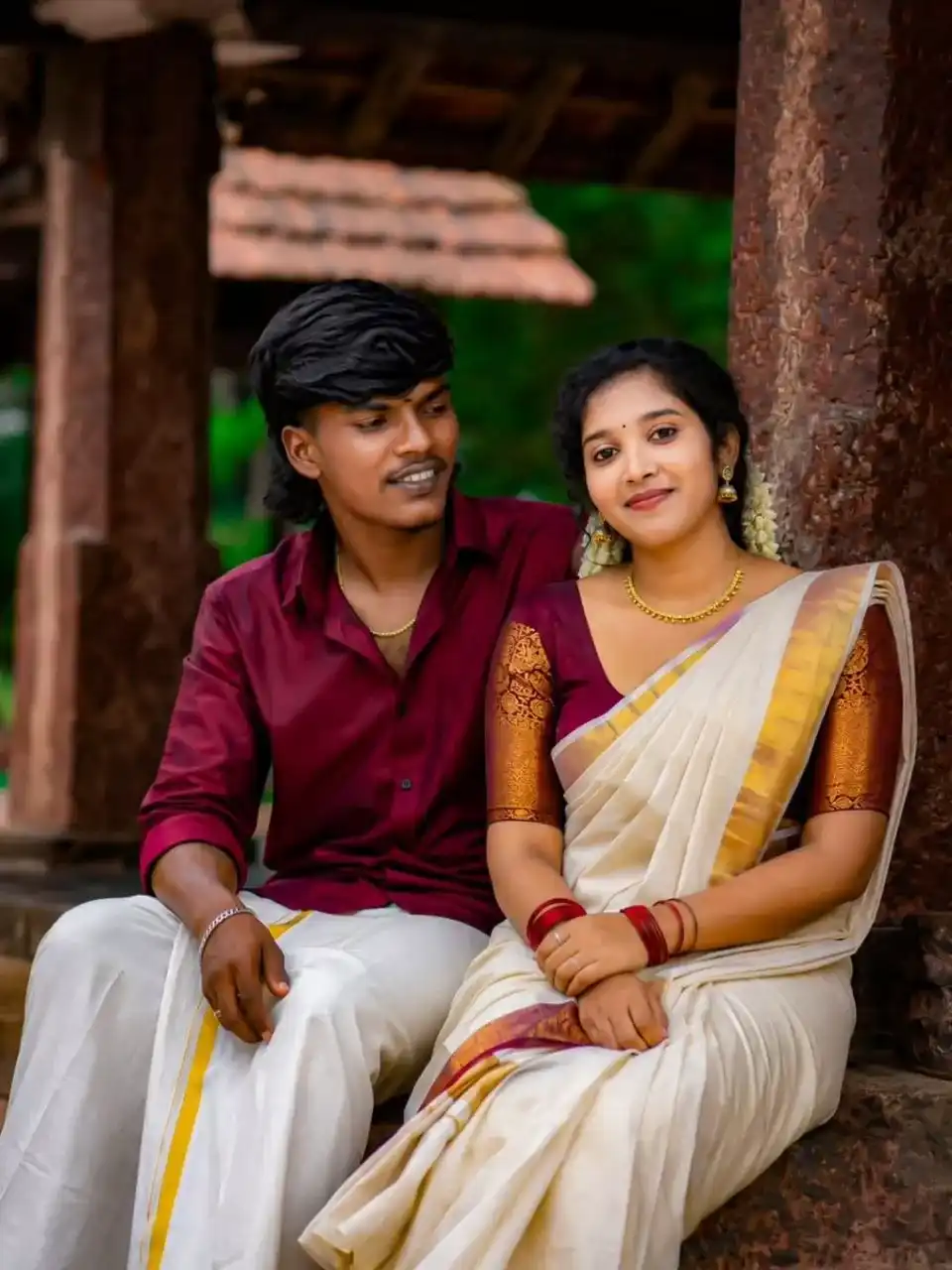
A happy South Indian couple sitting together on a stone platform under a rustic laterite stone structure with tiled roof. The man wears a deep maroon silk shirt and traditional white mundu with golden kasavu border, silver wristwatch, smiling at the woman. The woman wears an off-white Kerala settu saree with maroon and gold zari border, matching maroon blouse with gold sleeves, red glass bangles, gold earrings and necklace, smiling at the camera. Background of lush green foliage, old red stone pillars, and natural earthy tones. Kerala traditional attire, 4K, ultra realistic.
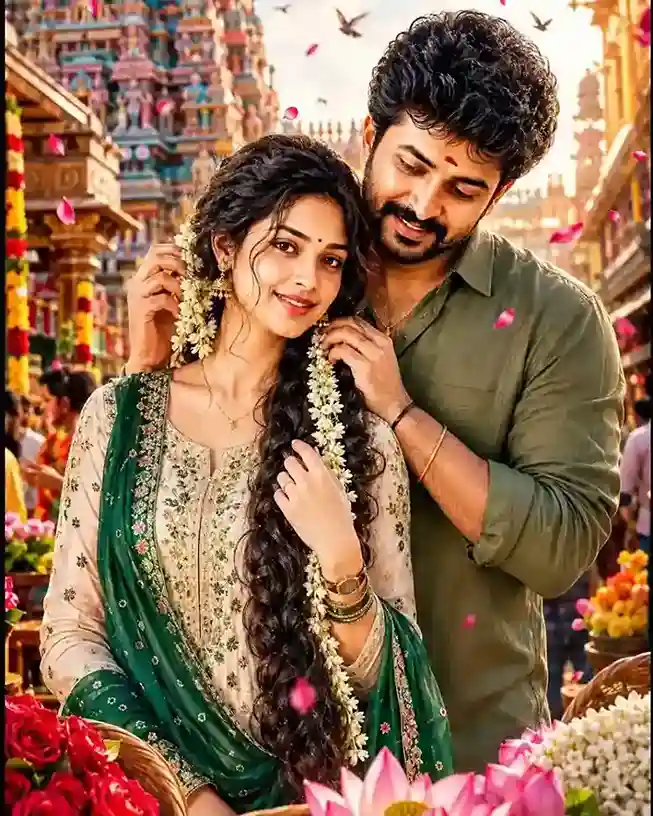
Ultra-Realistic South Indian Romantic Festival Scene – Image Generation Prompt: Create an ultra-realistic cinematic romantic portrait of a young South Indian couple in a vibrant temple street during a traditional festival. The handsome young man stands closely behind the woman, gently decorating her long braid with fresh jasmine flowers. He has thick curly hair, a trimmed beard, expressive eyes, and wears an olive-green casual shirt with rolled sleeves and a minimalist bracelet. His expression is affectionate and protective. The woman has delicate South Indian features, radiant skin, a warm smile, soft natural makeup, a tiny black bindi, elegant jhumka earrings, and an extraordinarily long, thick braid adorned with jasmine garlands. She wears a cream-white embroidered salwar kameez with intricate green floral patterns and a flowing deep-green dupatta. Traditional bangles and a wristwatch add realistic detail. Background features a majestic colorful South Indian temple gopuram rising above a bustling street filled with people, festive energy, flower vendors, and warm golden-hour sunlight. Decorative flower baskets overflow with red roses, jasmine blossoms, and pink lotus flowers in the foreground. Pink flower petals drift through the air while birds fly across the sky. Style: ultra-realistic photography, cinematic storytelling, romantic atmosphere, golden-hour lighting, shallow depth of field, HDR, highly detailed skin texture, realistic fabric folds, volumetric sunlight, vibrant colors, natural expressions, 8K resolution, DSLR quality, premium Indian festival aesthetic, dreamy bokeh, masterpiece composition, vertical portrait 4:5 ratio.
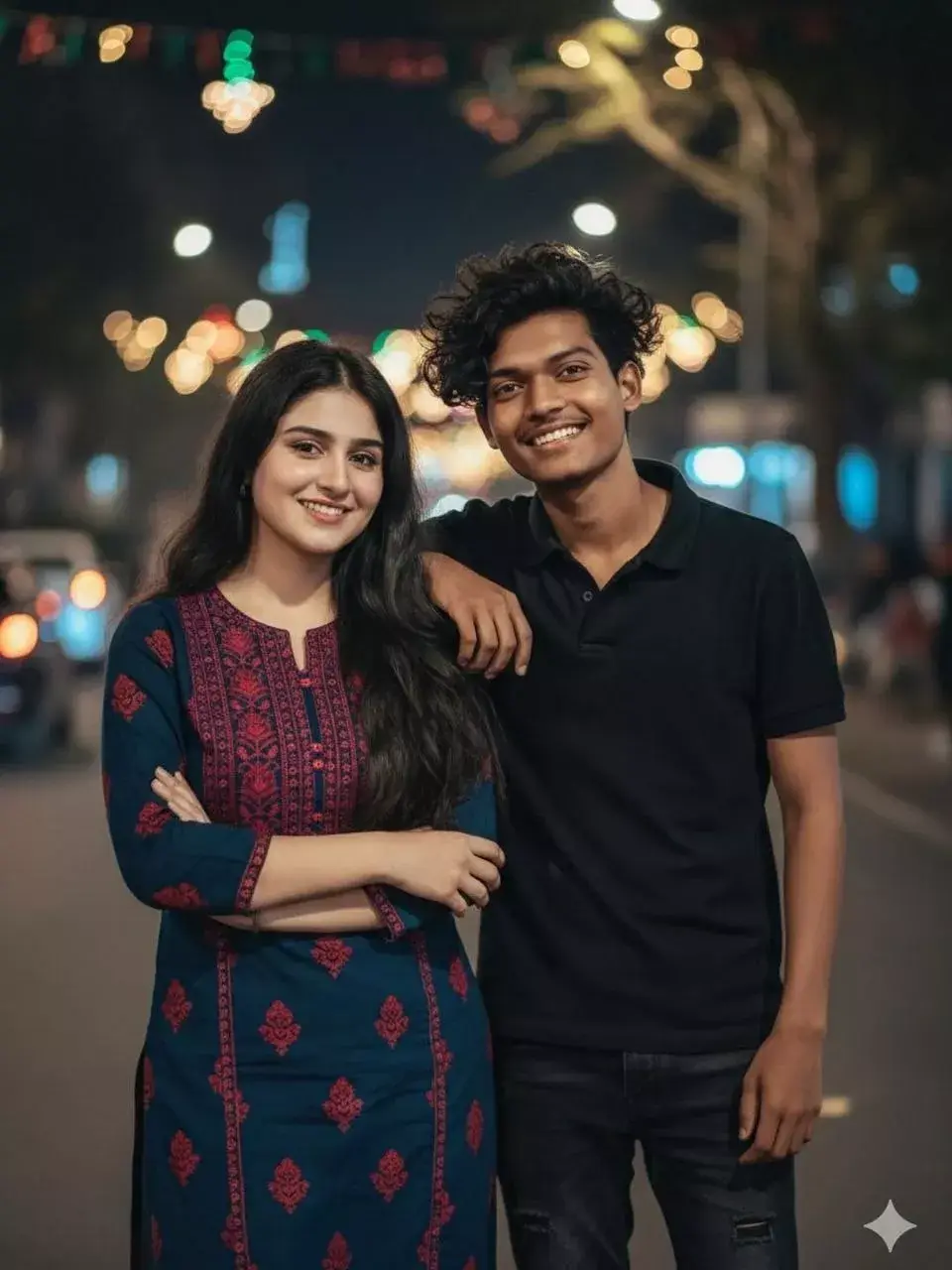
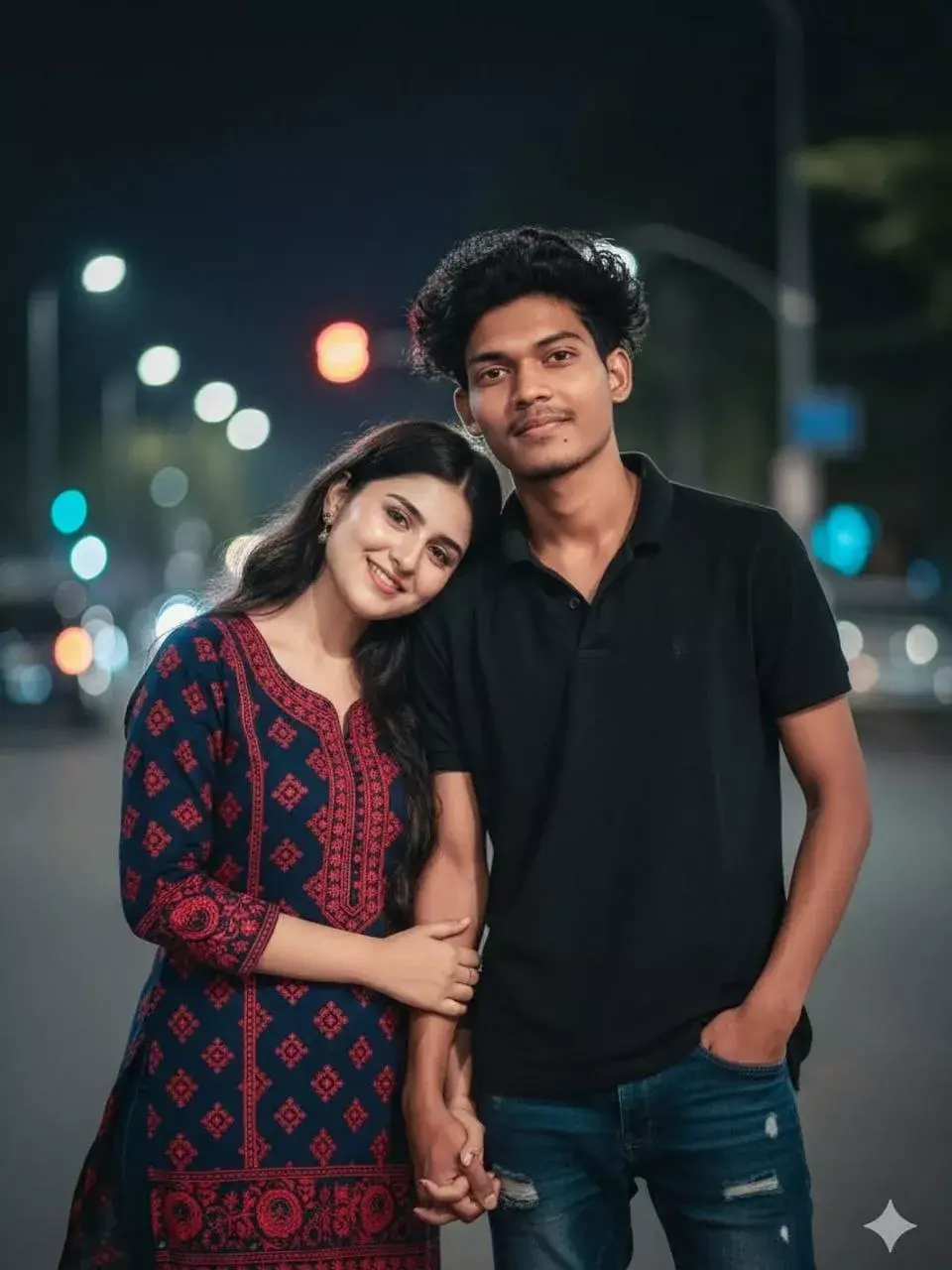
Create a realistic version of this picture. A close-up vibrant low-light photograph of an 18-year-old young Indian couple or friends standing close together outdoors at night. The girl has long dark hair and is wearing a dark blue and red printed kurti over light jeans, with her arms crossed. The boy has dark windswept hair, wearing a fully black polo shirt and dark ripped jeans, smiling and resting his elbow on the woman’s shoulder. They are smiling warmly. The background is a slightly blurred street scene with cinematic bokeh lights from cars and trees. Cinematic photography, low ISO, deep rich colors, shallow depth of field, realistic skin texture, DSLR quality, natural expressions, ultra-detailed, night portrait photography, sharp focus, professional color grading, photorealistic, 4K, face 100% match as reference image.
Create a realistic version of this picture. A close-up vibrant low-light photograph of an 18-year-old young Indian couple or friends standing close together outdoors at night. The girl, with long dark hair, is resting her head on the boy’s shoulder. She is wearing a dark blue and red printed kurti. The boy has dark windswept hair, wearing a fully black polo shirt, dark ripped jeans, and one hand in his pocket. They are holding hands and smiling warmly. The background is a slightly blurred street scene with cinematic bokeh lights from cars and trees. Cinematic photography, low ISO, deep rich colors, shallow depth of field, realistic skin texture, natural expressions, DSLR quality, sharp focus, professional color grading, photorealistic, ultra-realistic, 4K, face 100% match as reference image.
A highly detailed cinematic 4K portrait of a young South Indian couple standing side by side, smiling warmly at the camera. The girl is wearing a blue traditional dress with a beige dupatta, long black hair styled neatly, wearing jhumka earrings and a simple chain. The boy is wearing a red and black checkered shirt, stylish voluminous hair, light beard, and a small tilak on his forehead. The background is a dark studio backdrop with dramatic red and blue rim lighting from both sides, creating a vibrant contrast and glow around their faces and hair. Soft front lighting highlights their facial features clearly with smooth skin tones and sharp focus. Professional studio photography style, ultra-realistic, high detail, shallow depth of field, clean composition, centered framing, vibrant colors, bokeh background, masterpiece quality.
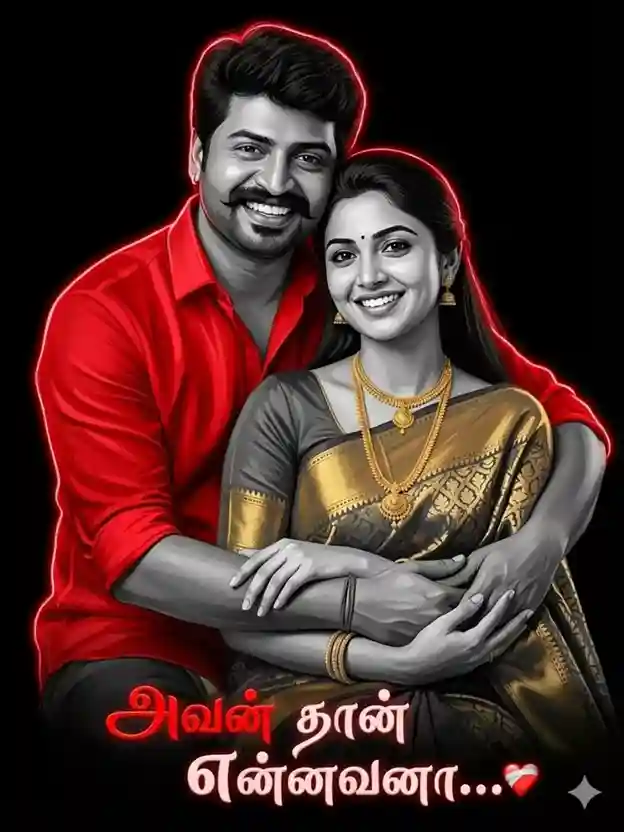
Use the uploaded image as the exact face reference (strict face preservation — 100% identical facial features, skin tone, hairstyle, beard, and expression, no alterations whatsoever). Create a high-contrast vector art illustration of a young South Indian couple in a romantic pose. The man is positioned in front, while the woman stands behind him, gently hugging him from behind with her arms resting over his shoulders. The man tilts his head slightly upward, looking at her with a joyful, loving expression. The woman has long wavy hair, wears traditional jhumka earrings and a small bindi, and smiles warmly.
Style details:
Use a grayscale palette for skin and hair (only black, white, and shades of grey).
Add intense glowing red neon rim lighting outlining both figures’ silhouettes.
The man wears a vibrant red shirt (this should be the only colored clothing element).
High contrast, sharp edges, clean vector-style rendering.
Smooth gradients with a modern, polished digital illustration look.
Background:
Pure solid black background.
Text:
At the bottom, include elegant Tamil calligraphy:
“அவன் தான் என்னவனா… ❤️”
Use stylish glowing typography in soft white and red, matching the neon lighting aesthetic.
Anna Thangachi Photo Editing Prompts
Create a 3:4 vertical ultra-clean vector portrait based strictly on the provided reference image, preserving facial identity with 100% accuracy, no changes to facial structure, skin tone, bone structure, eye spacing, nose shape, lip shape, jawline, hairline or defining features, style transformation only, convert into a high-contrast neo-noir vector illustration with a tight head-and-upper-neck crop, slightly angled face orientation, strong cinematic framing, large negative space, pure black background (#000000), no texture or gradients, dramatic red/crimson rim lighting from one side, deep black shadows, ultra-clean vector art, sharp edges, bold contrast, premium poster aesthetic, modern digital artwork, highly detailed facial rendering, professional quality.
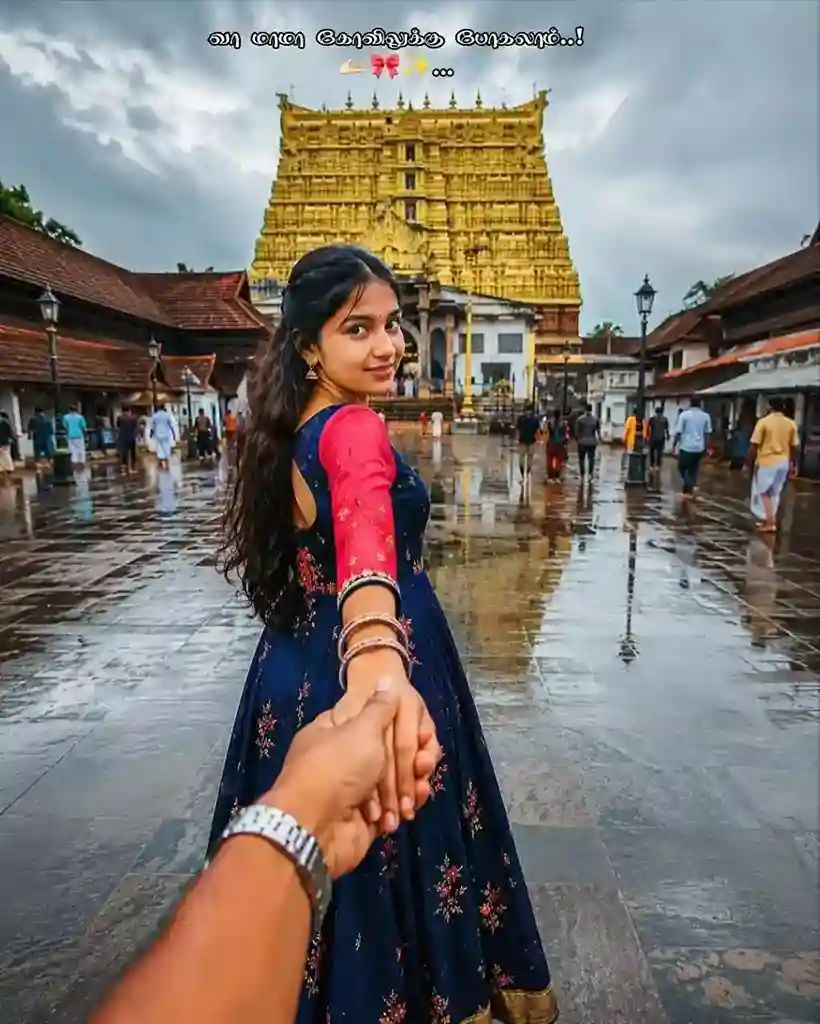
Ultra-realistic travel photography in a “follow me” perspective, a young South Indian woman wearing a navy blue long dress with pink sleeves and bangles walking ahead while holding the photographer’s hand, first-person viewpoint showing a man’s hand with a silver wristwatch in the foreground, traditional Hindu temple complex with a golden gopuram in the background, wet stone-paved courtyard after rain with reflective surfaces, cloudy monsoon sky, red-tiled temple buildings, pilgrims walking around, natural candid moment, wide-angle 24mm lens, cinematic depth, realistic skin tones, ultra-detailed architecture, soft daylight after rain, HDR quality, detailed reflections, authentic Indian temple atmosphere, professional DSLR photography, sharp focus, vibrant colors, 8K resolution, negative prompt: blurry, low quality, distorted hands, extra fingers, duplicate people, cropped subjects, overexposed lighting, unrealistic skin texture, watermark, text, logo, motion blur, noise, artifacts.
Create a stylish South Indian brother-sister portrait in a professional studio background, featuring a 32-year-old brother seated confidently on a chair wearing a traditional black veshti with a gold border and a crisp white shirt, and a 20-year-old sister standing beside him in a yellow half-saree (davani) with a green blouse and stylish sunglasses, her hand resting proudly on his shoulder, both with confident and powerful expressions, dramatic studio lighting, sharp shadows and highlights, premium color grading, realistic skin texture, DSLR-quality details, emotional sibling bond, 100% facial matching with the reference image, elegant Tamil typography saying “அண்ணேடா..💪 தங்கச்சிடா..❤️”, ultra-realistic cinematic portrait, masterpiece quality, 8K resolution.
A realistic, high-quality portrait of a young Indian man and woman standing close together, smiling warmly at the camera, the woman wearing a traditional sage-green floral saree with a matching blouse, jasmine flowers (gajra) in her hair, a red bindi and a simple pearl necklace, the man having thick wavy dark hair and wearing a crisp white button-down shirt with his arm around her shoulder, softly blurred indoor hallway background with natural lighting, shot on an 85mm lens at f/1.8, cinematic lighting, shallow depth of field, highly detailed textures, realistic skin tones, professional portrait photography, DSLR quality, premium color grading, masterpiece quality, 8K resolution.
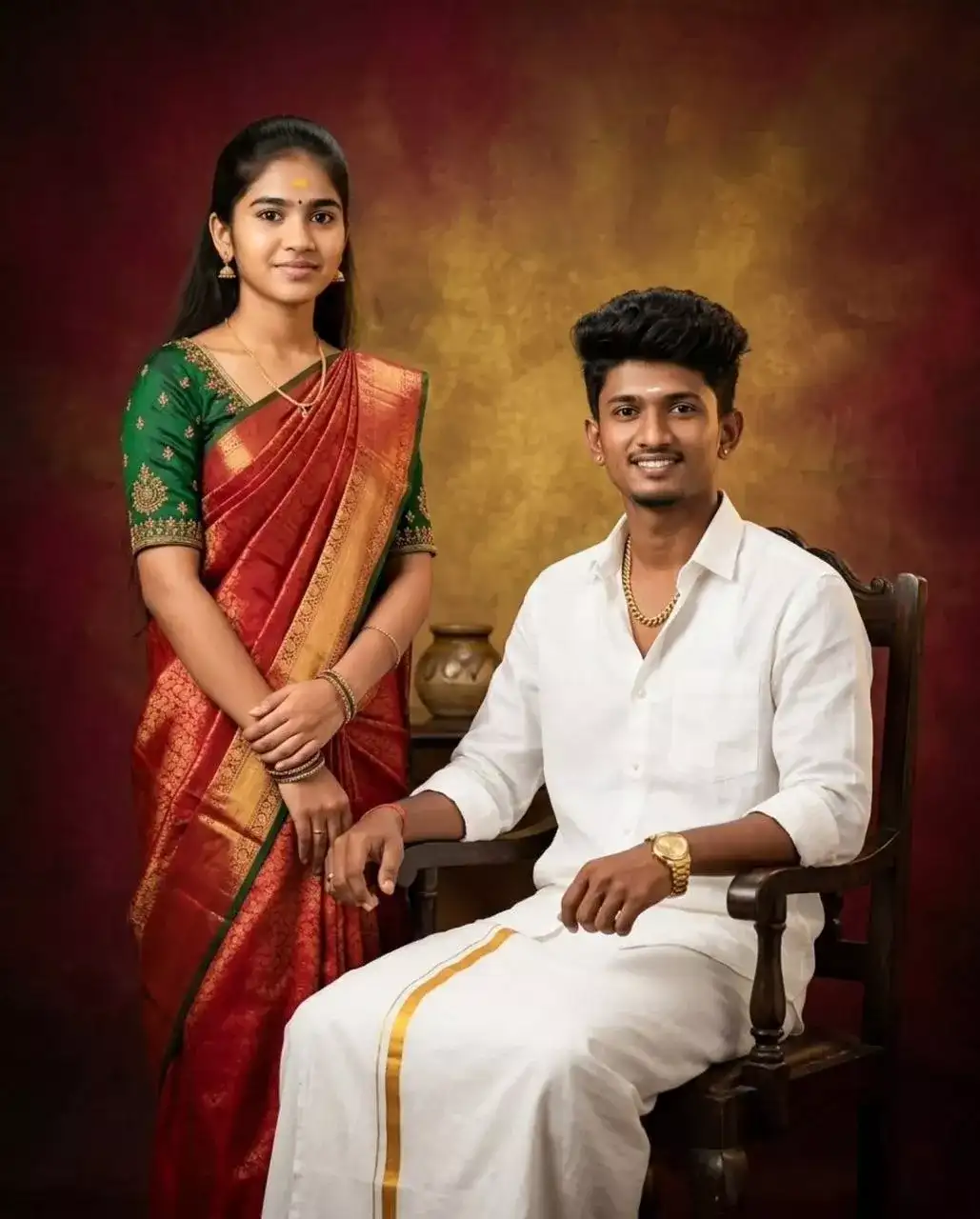
Create a highly stylized studio portrait of the same couple from the reference image, the man seated on a wooden chair wearing a white shirt, traditional white veshti, gold chain and gold watch, the woman standing beside him with folded hands wearing a traditional red saree and green blouse with minimal jewelry, bold vintage gradient studio background, warm cinematic atmosphere, maintain 100% natural facial features and likeness, no changes to face, skin tone or structure, professional studio lighting, realistic skin texture, premium color grading, editorial photography style, symmetrical composition, minimal background elements, ultra-realistic, sharp focus, DSLR-quality details, 4K resolution, aspect ratio 9:16, masterpiece quality.
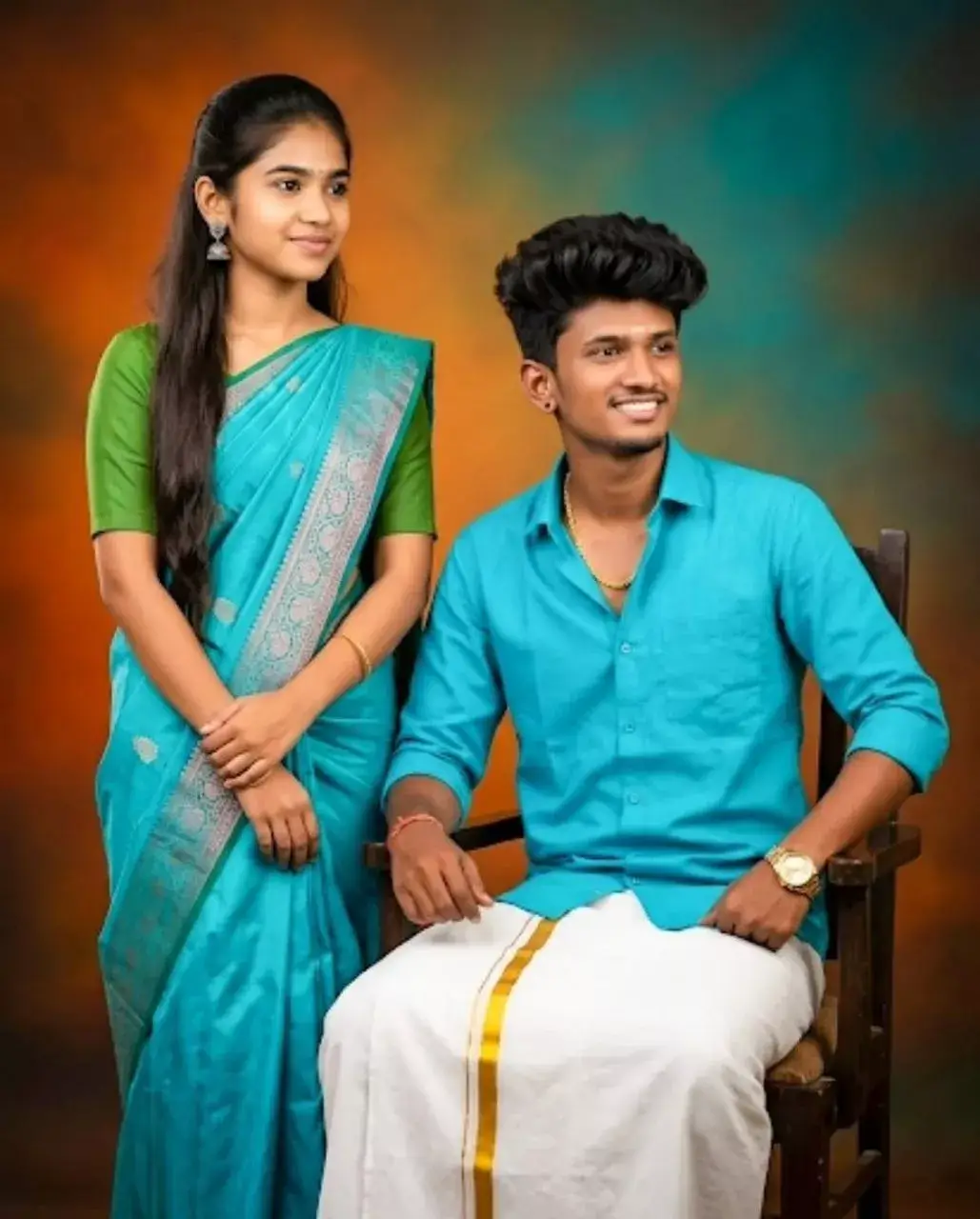
Create a highly stylized studio portrait of the same couple from the reference image, the man seated on a wooden chair wearing a cyan shirt, traditional white veshti, gold chain and gold watch, the woman standing beside him with folded hands wearing a traditional cyan saree and green blouse with minimal jewelry, bold vintage gradient studio background with orange and teal tones, maintain 100% natural facial features and likeness, no changes to face, skin tone or structure, professional studio lighting, realistic skin texture, premium color grading, editorial photography style, symmetrical composition, minimal background elements, ultra-realistic, sharp focus, DSLR-quality details, 4K resolution, masterpiece quality.
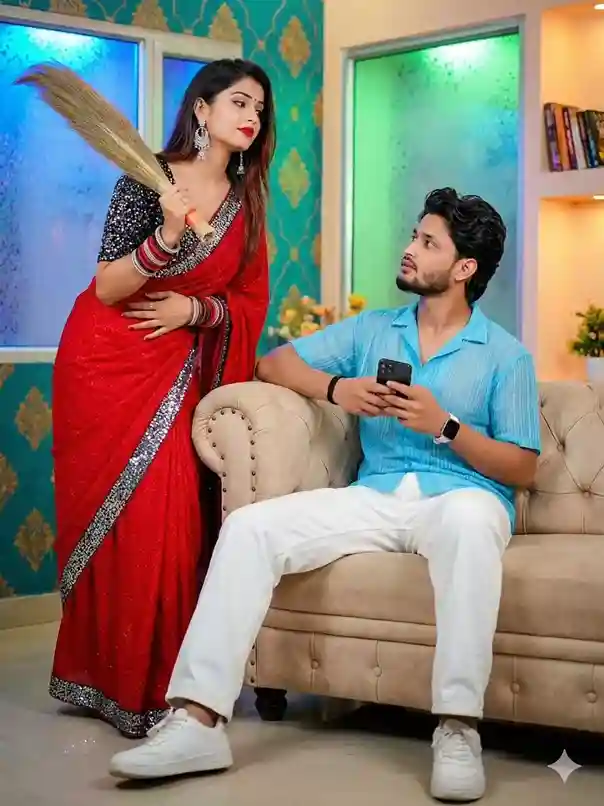
A stylish Indian living room scene featuring a young woman in a bright red saree with a black sequined blouse holding a traditional broom, standing beside a beige tufted sofa with a serious yet expressive look, wearing silver jhumka earrings, bangles and bold red lipstick, while a young man sits on the sofa in a light blue short-sleeve shirt, white pants and white sneakers holding a smartphone and looking at her with a surprised expression, elegant teal and gold patterned wallpaper, frosted glass windows with blue and green lighting, modern bookshelf with warm ambient lighting, vibrant colors, sharp focus, cinematic indoor lighting, realistic skin textures, DSLR-quality photography, dramatic yet playful domestic atmosphere, ultra-realistic, 4K resolution.
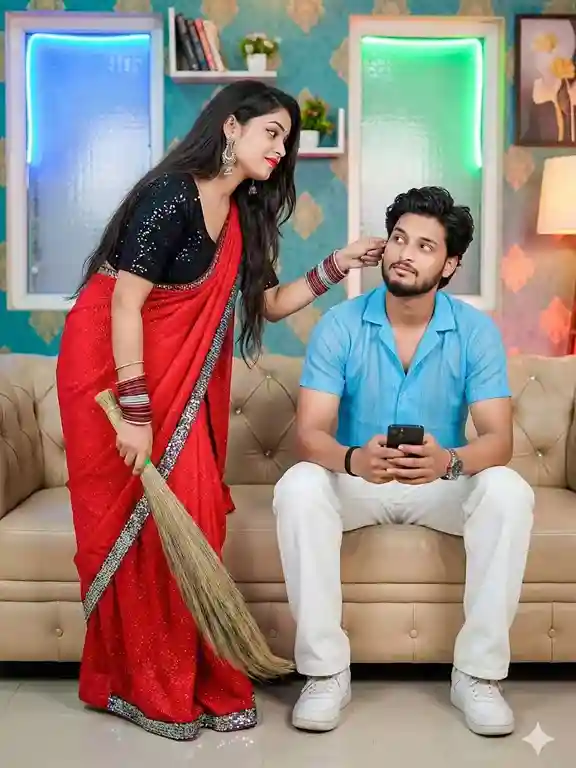
A young Indian couple in a stylish modern living room, the woman standing beside a beige leather sofa wearing a bright red saree with a black sequined blouse and silver border details, long straight black hair, silver jhumka earrings and red bangles, playfully pulling the man’s ear while holding a traditional broom, the man sitting on the sofa wearing a light blue short-sleeve shirt, white pants and white sneakers, holding a smartphone and looking at her with an amused expression, teal wallpaper with gold ornamental patterns, decorative shelves with books and plants, frosted glass panels illuminated with blue and green LED lights, warm hanging lamp, framed floral artwork, soft vibrant lighting, cinematic indoor portrait feel, realistic photography style, DSLR-quality details, sharp focus, ultra-detailed environment, cinematic color grading, masterpiece quality, 4K resolution.
ACTION: “Generate a cinematic portrait” SUBJECT: “elder brother (35) and younger sister (26), standing side by side” OUTFIT: “brother in traditional silk kurta, sister in blue Banarasi saree” BACKGROUND: “old Chettinad mansion corridor with arched doorways” LIGHTING: “warm afternoon light streaming through tall windows” COLOR GRADE: “rich earth tones, golden highlights, slight vintage warmth” QUALITY: “8K ultra HD, realistic photography, cinematic depth of field” FACE LOCK: “faces locked exactly from uploaded reference photo, no changes”
Final Prompt
“Generate a cinematic portrait of an elder brother (35) and younger sister (26) standing side by side. Brother in traditional silk kurta, sister in blue Banarasi saree. Background: old Chettinad mansion corridor with arched doorways. Warm afternoon light streaming through tall windows. Rich earth tones, golden highlights, slight vintage warmth. 8K ultra HD, realistic photography, cinematic depth of field. Faces locked exactly from uploaded reference photo, no changes.”
Platform-Wise Step-by-Step Guide
ChatGPT (GPT-4o) Mein Kaise Karein:
chat.openai.com kholo, GPT-4o model select karo
Chat box mein paperclip (+) icon se bhai-behen ki photo upload karo
Upar diya gaya koi bhi prompt copy karke paste karo
Prompt ke end mein “Faces locked from uploaded reference photo” zaroor rakho
Enter press karo, 15-30 seconds mein image ready!
Result pasand na aaye toh “Regenerate” karo, har baar alag result aata hai
Secret Tip: “Make the image more cinematic and add warm color grading” type karo regeneration ke saath, quality 2x better hoti hai.
Google Gemini Mein Kaise Karein:
gemini.google.com ya Gemini Android/iOS app kholo
Chat box mein image icon (+) se reference photo upload karo
Apna prompt paste karo, “preserve exact faces from uploaded reference, do not change facial features” add karo
Generate karo
Agar result satisfactory na ho toh “Try again” button se dobara generate karo
Achha lage toh download karo aur share karo!
Secret Tip: Gemini mein ek baar mein 2 photos (ek bhai ki, ek behen ki alag-alag) dene se face accuracy aur improve hoti hai.
Use Cases, Anna Thangachi AI Photo Kahan Use Karein?
Yeh stunning photos sirf dekhne ke liye nahi hain, inke practical uses bahut hain:
Social Media:
Instagram post, reel cover, aur story thumbnail
YouTube channel art ya video thumbnail
Facebook memory post
Pinterest aesthetic board
Personal Use:
WhatsApp DP aur status
Personalized birthday gift (print karke frame mein)
Family photo album ka cover image
Phone wallpaper
Special Occasions:
Raksha Bandhan greeting
Sibling’s birthday surprise post
Wedding memory keepsake
Farewell/vidai memory
Creative Projects:
Family reunion invitation card design
Custom greeting card
Memorial photo (yaad mein)
Family tree visual project
Common Galtiyan Jo Beginners Karte Hain
Yeh mistakes se bachein, warna result disappointing hoga:
Mistake 1: Blurry ya low-quality photo upload karna Photo mein dono logon ke chehre clearly visible hone chahiye. Side-face ya sunglasses wali photo avoid karein.
Mistake 2: “Face lock” instruction na dena Yeh sabse important line hai, iske bina AI apne hisaab se chehra badal deta hai. Hamesha likho: “Faces locked from uploaded reference photo, do not alter facial features.”
Mistake 3: Prompt bahut chhota likhna “Make a Tamil photo of brother sister”, yeh ek weak prompt hai. Jitni detail, utna better result. 100+ words ka prompt best output deta hai.
Mistake 4: Sirf ek baar try karke chhod dena AI generation mein randomness hoti hai. Ek hi prompt se 5 alag results aa sakte hain. Kam se kam 3-5 baar generate karein aur best choose karein.
Mistake 5: Ek prompt mein bahut saari conflicting cheezein dalna Jaise: “village background aur modern city neon lights dono saath” yeh AI ko confuse karta hai. Ek clear theme rakho per prompt.
Mistake 6: Quality tags bhoolna “Ultra HD, 8K, cinematic photography, realistic skin texture, shallow depth of field” yeh tags result ko professional level par le jaate hain.
Conclusion
Har photo ek story hai. Aur agar woh story Anna aur Thangachi ki ho, toh woh sirf ek image nahi, ek feeling hai. Ek protection ka jazbaa, ek support ka vaada, ek anmol bond ka silsilaa.
AI ne ab yeh possible bana diya hai ki aap apni unhi yaadon ko, chahe woh ek purani school photo ho, ek festival ki blurry selfie ho, ya ek aam din ki simple snap, ek timeless cinematic artwork mein badal sakein.
Is guide mein diye gaye unique prompts, platform-wise steps, aur prompt-writing formula ke saath aap aaj se hi apne sibling portraits banaa sakte hain, bilkul free, bilkul asaan.
Apni favorite Anna Thangachi Prompt memory ko AI se immortalize karein. Wo tasveer banao jo hamesha yaad rahe.
Shiva Munda
Namaste! Main Prompt Khajana ka creator hoon aur mujhe AI tools, prompt engineering aur digital content creation me bahut interest hai. Is website par main ChatGPT, Gemini aur anya AI tools ke liye copy-paste ready prompts share karta hoon. Mera uddeshya users ko simple, useful aur latest AI prompts provide karna hai jisse woh aasani se creative content aur realistic AI images bana saken. Main regularly naye aur trending prompts publish karta hoon taaki readers ko hamesha fresh aur helpful content mil sake.